Fabio AI Chatbot automatically answers your visitors in the language of your WordPress installation. No extra setup is needed — the chatbot simply adapts to your WordPress language.
For example, if your website content is in Polish but your WordPress interface is set to French, Fabio AI Chatbot will reply in French.
If Fabio AI Chatbot answers in a Portuguese where your content is in German, it means that your WordPress interface, on the back end, is set to Portuguese. Therefore you need to change the WordPress interface language. In fact, you need to set the WordPress interface language to be the same language as the one you want the chatbot to answer in.
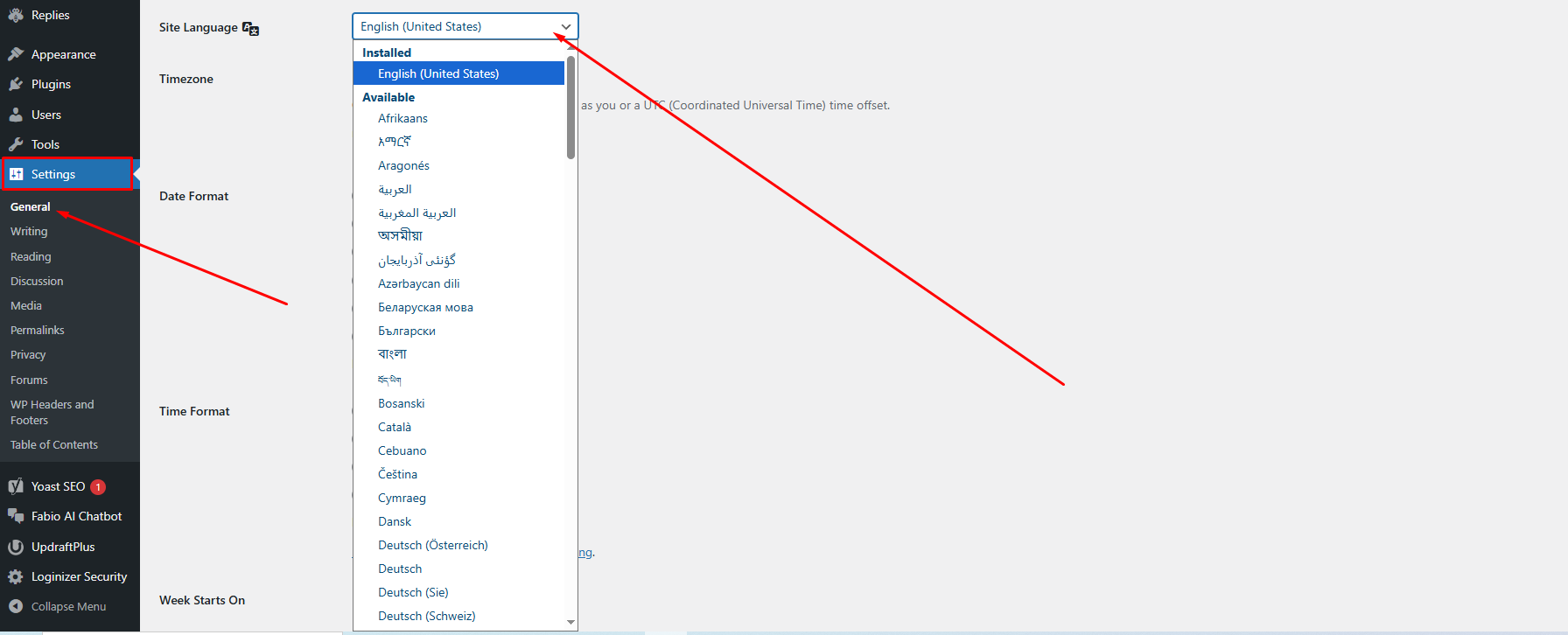
Here is how to change your WordPress interface language: Go to your admin dashboard, click Settings in the left-hand menu, then click General. Look for the Site Language dropdown menu and select your preferred language.