How to Get a Mistral API KeyBeginner-Friendly Guide
Follow this simple step-by-step guide to create your Mistral API key and connect it to Fabio AI Chatbot.
To use Fabio AI Chatbot, you need your own AI API key: OpenAI, Mistral or Gemini. The API cost is not included in the monthly or yearly subscription, but it is usually about 1 USD for 100 interactions, questions and answers included. With Mistral, you can also choose cheaper AI models depending on your needs. Here we explain how to create a Mistral API key and use it with Fabio AI Chatbot.
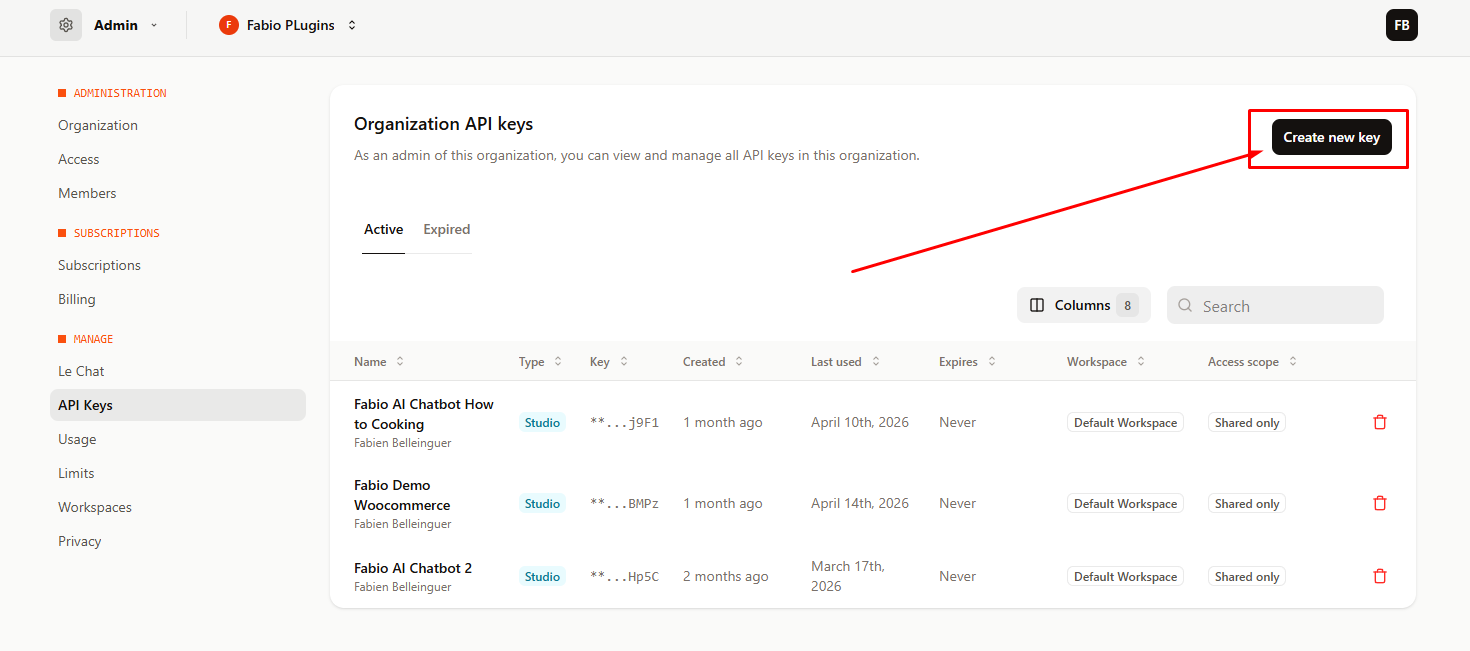
Step 1 — Go to the Mistral API Keys Page
First, open the Mistral API keys page. Look for the button labeled “Create new key” in the upper-right corner and click it.
👉 Click here to go to the Mistral API Keys page
Step 2 — Create a New Mistral API Key
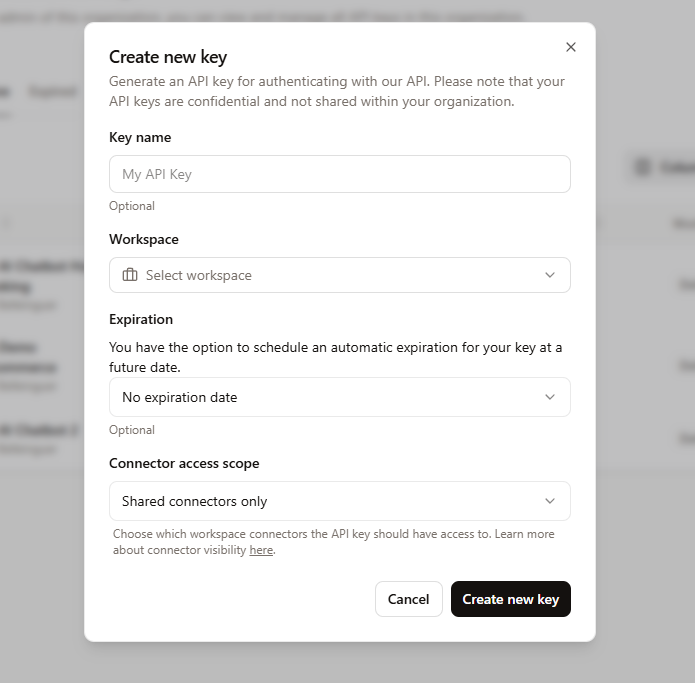
A form will appear. Simply:
- Enter a name for your API key, for example: Fabio Chatbot
- Choose a specific workspace, or use the default Mistral workspace
- Choose whether you want to add an expiration date
- Select a connector access scope — if you are not sure, choose Shared connectors only
- Click Create a new key
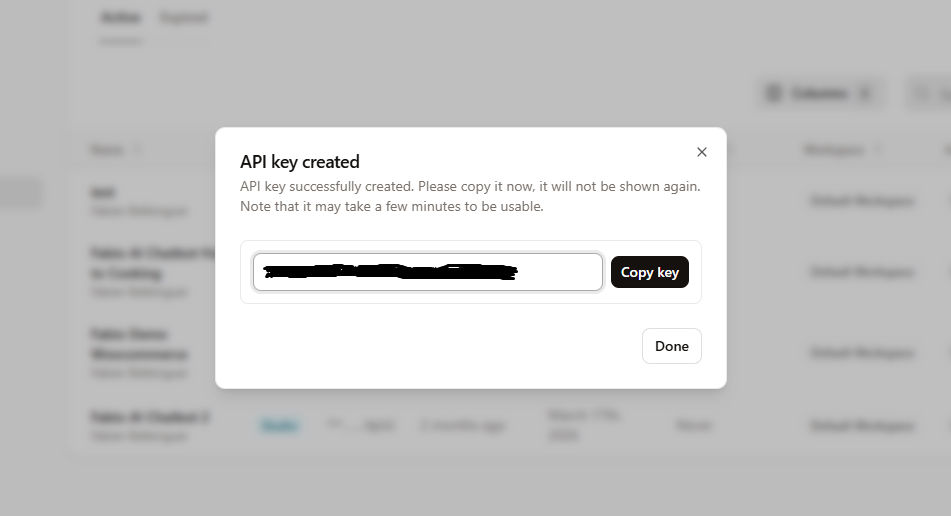
Step 3 — Copy Your Mistral API Key
Your new Mistral API key will now appear in a pop-up window. Copy it immediately, because you will not be able to recover it later.
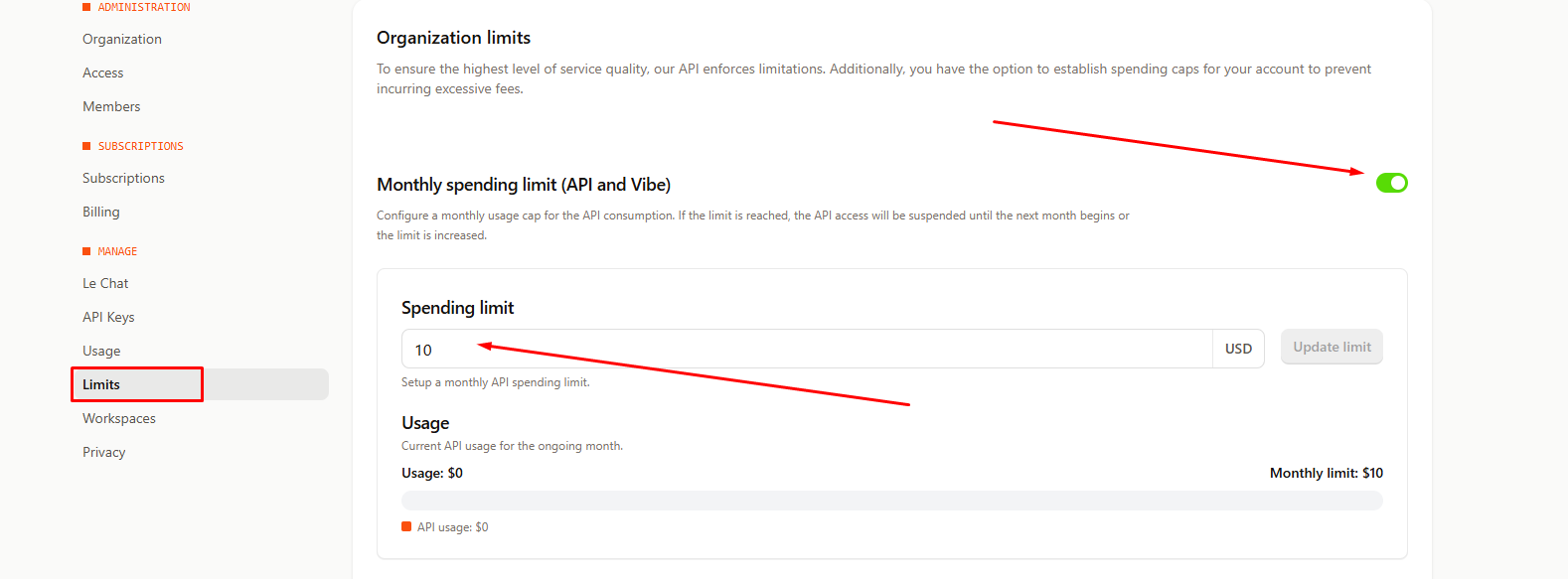
Step 4 — Set a Monthly Spending Limit
Before using your Mistral API key with Fabio AI Chatbot, it is strongly recommended to set a monthly spending limit. This helps you control your budget and avoid unexpected charges.
- Open the Limits section in the left menu
- Enable the Monthly spending limit
- Enter your monthly budget limit in dollars
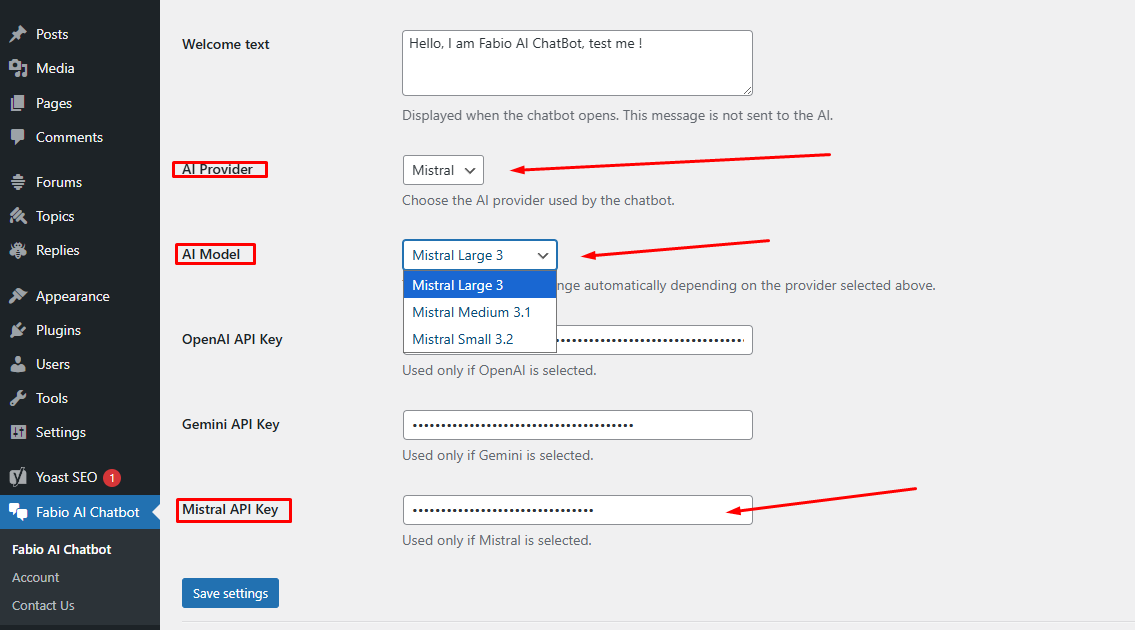
Step 5 — Add the Mistral API Key to Fabio AI Chatbot
Go back to your WordPress dashboard and open the Fabio AI Chatbot settings:
- In the AI providers dropdown menu, choose Mistral
- Choose the Mistral model you want to use
- Paste your Mistral API key into the dedicated field
- Click Save
🎉 That’s it — Fabio AI Chatbot can now run with Mistral.