How to Get a Gemini API KeyBeginner-Friendly Guide
Follow this simple step-by-step guide to create your Gemini API key and connect it to Fabio AI Chatbot.
To use Fabio AI Chatbot, you need your own AI API key: OpenAI, Mistral or Gemini. It is not included in the plugin price, but don’t worry — the cost is usually very low, depending on your AI usage and selected model. Here we explain how to create a Gemini API key and use Gemini AI models with Fabio AI Chatbot.
Step 1 — Go to Google AI Studio
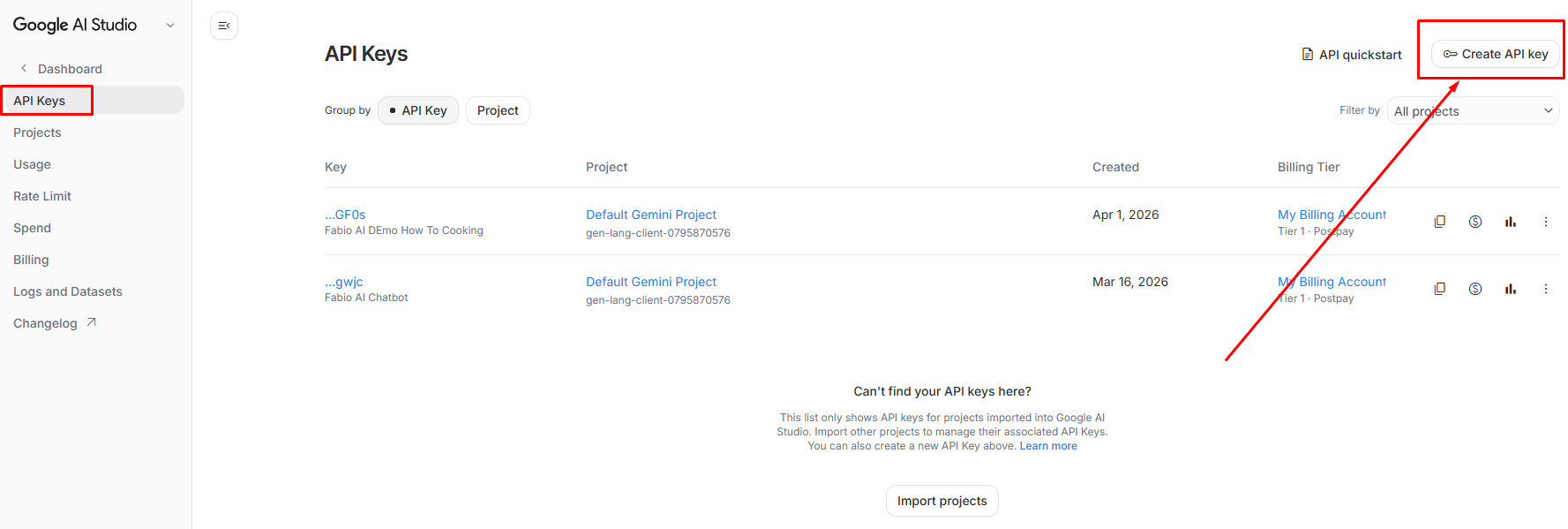
First, open the API keys section of Google AI Studio. Look for the button labeled “Create API key” in the upper-right corner.
👉 Click here to go to the Gemini API Keys page
Step 2 — Create a New Gemini API Key
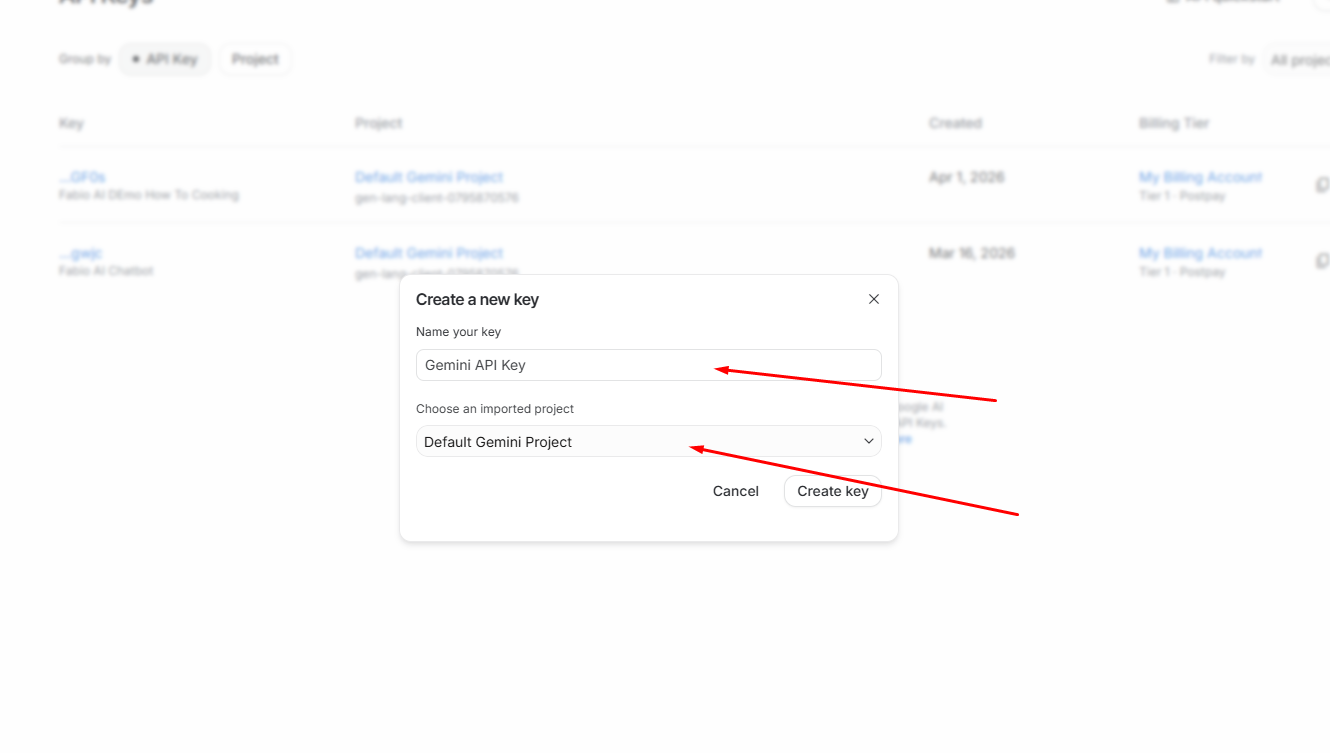
A small form will appear. Simply:
- Enter a name for your API key, for example: Fabio Chatbot
- Choose a project, or select the default Gemini project
- Click Create key
Step 3 — Copy Your Gemini API Key
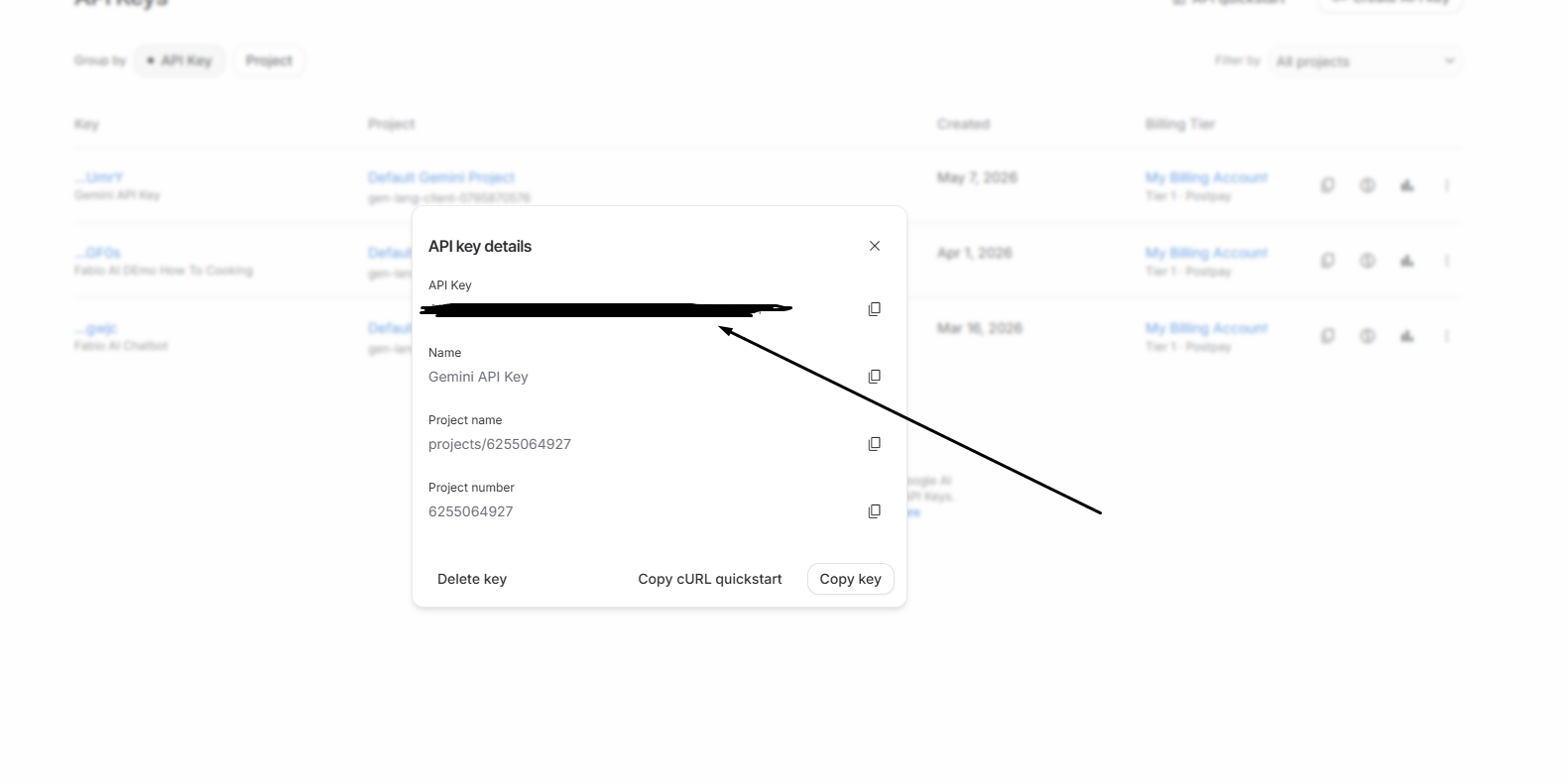
After clicking Create key, a new window will display your Gemini API key. Copy it so you can paste it into Fabio AI Chatbot.
Step 4 — Retrieve the Key Later if Needed
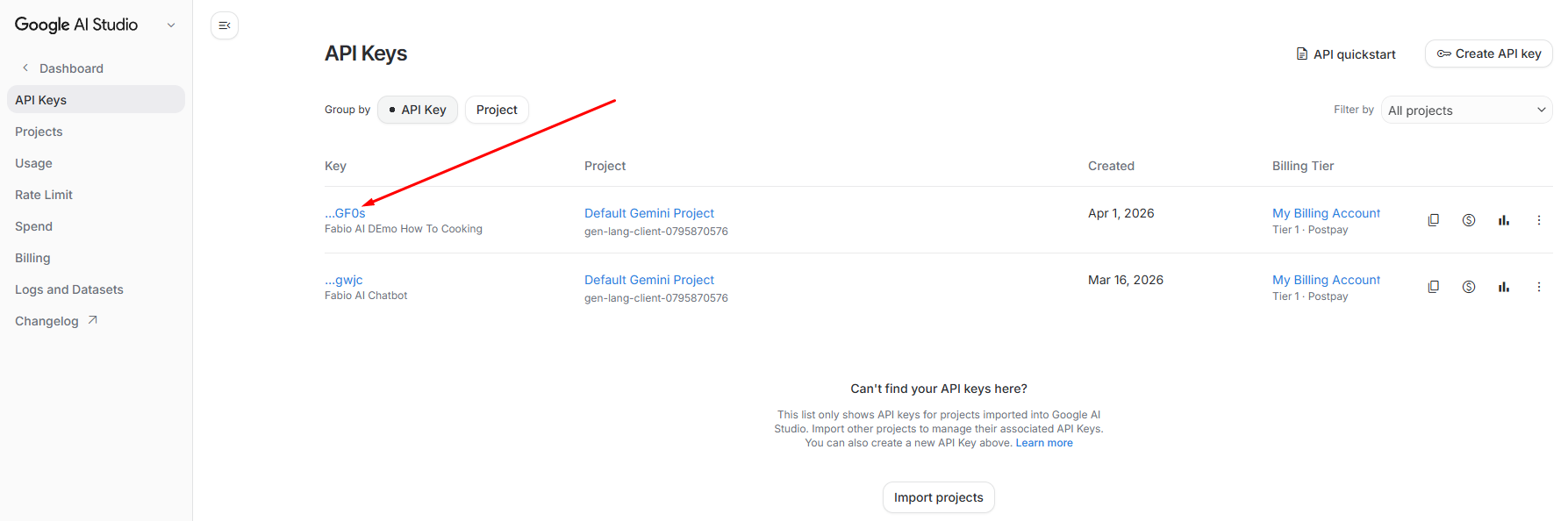
You can retrieve your Gemini API key later from Google AI Studio by clicking on the API key name. This is useful if you did not copy it immediately.
Step 5 — Set a Spending Limit (Very Important)
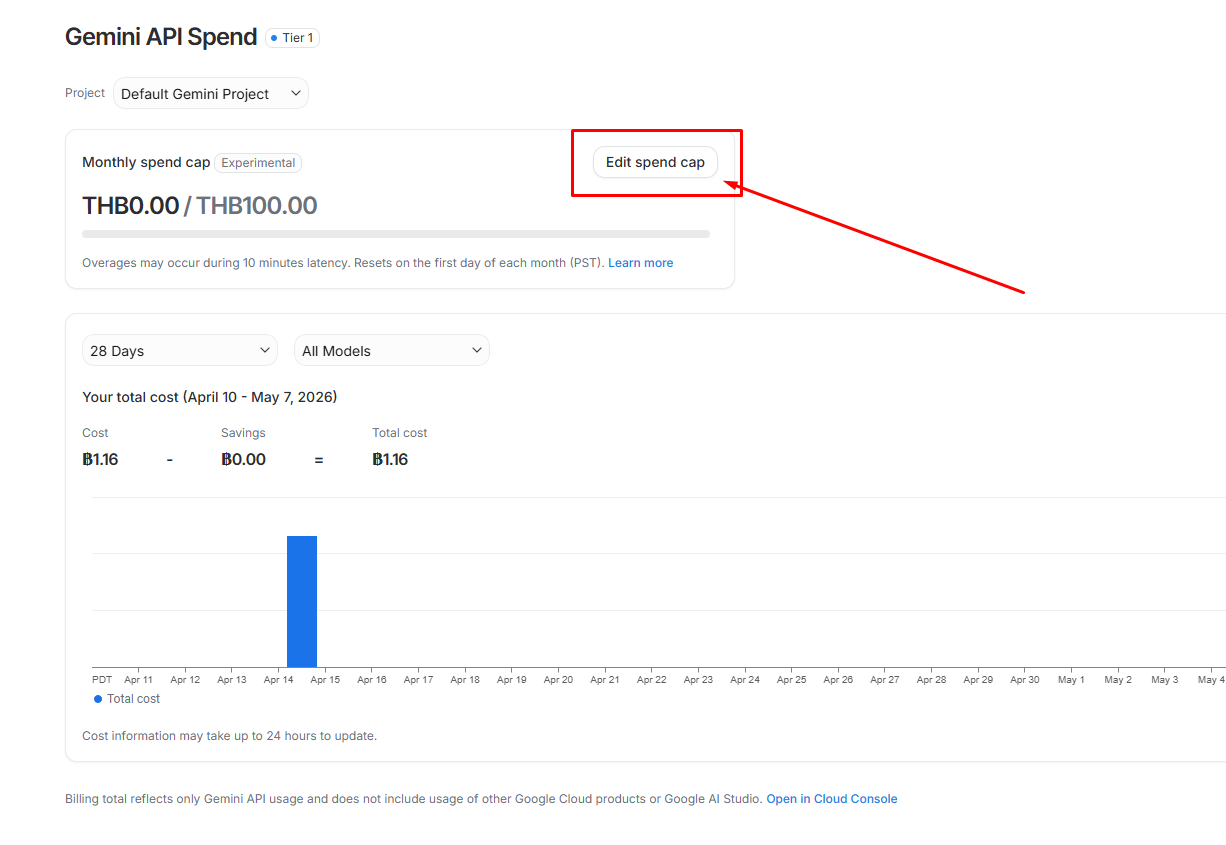
Before using your Gemini API key with Fabio AI Chatbot, make sure to set a spending cap on your Google AI Studio account.
This is very important to avoid unexpected charges.
Click on “Edit spend cap” and define your own spending limits according to your needs.
💡 Tip: Start with a low monthly limit and increase it later if needed.
Step 6 — Add the Gemini API Key to Fabio AI Chatbot
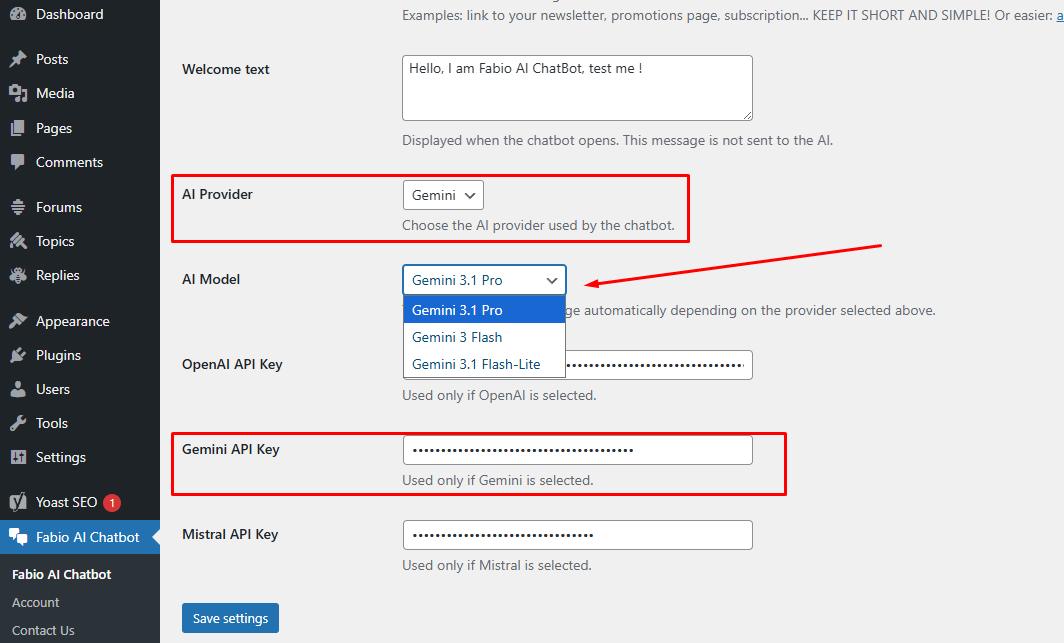
Go back to your WordPress dashboard and open the Fabio AI Chatbot settings:
- In the AI providers dropdown menu, choose Gemini
- Open the AI models dropdown menu and choose the Gemini model you want to use
- Paste your Gemini API key into the dedicated field
- Click Save
🎉 That’s it — Fabio AI Chatbot can now work with Gemini.