
Install Fabio AI ChatBot in 2 minutes on WordPress
Follow the steps below to start your free trial, install the plugin, scan your content, and customize the chatbot before making it live on your website.
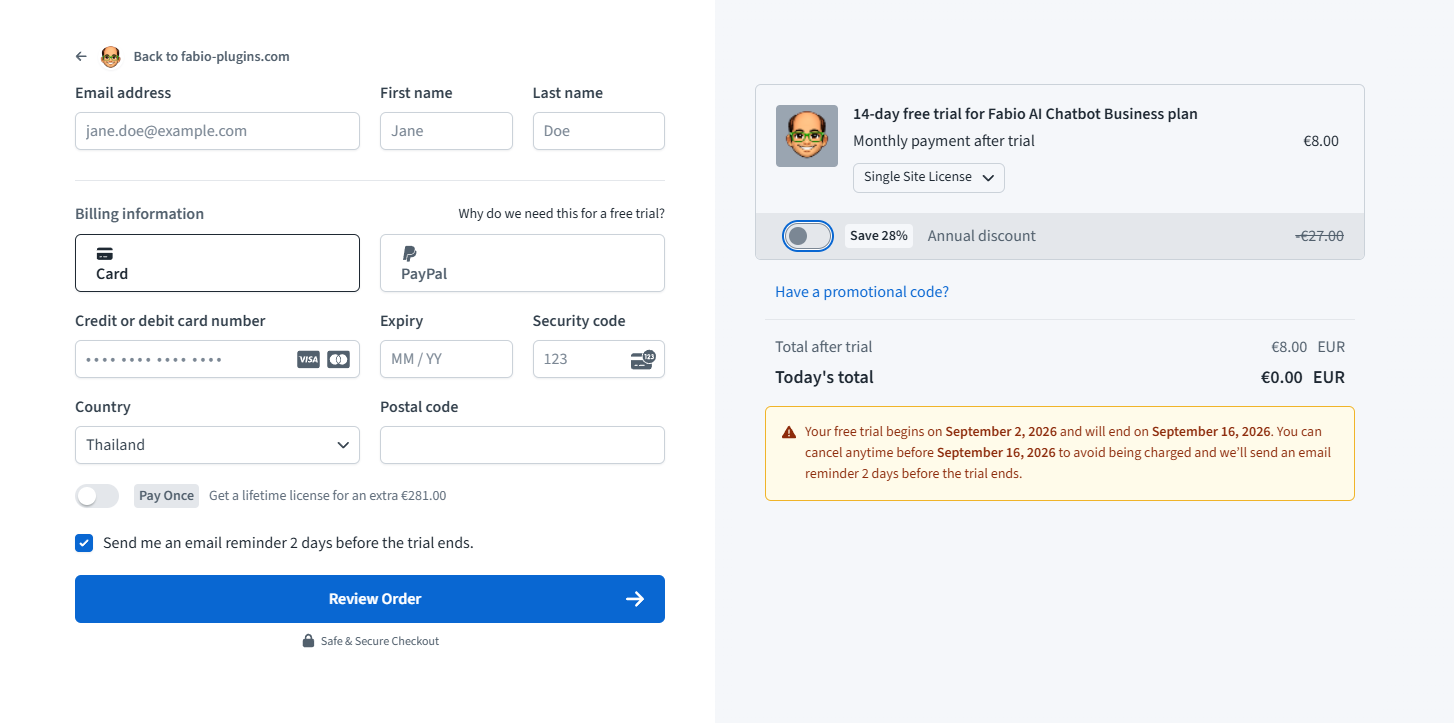
Start your 14-day free trial
If you start with Fabio Lite, the free version, you can skip this step. If you choose Fabio Biz, you get a 14-day free trial. During the trial, you will need to enter a debit or credit card, but you won’t be charged until the trial ends. From the checkout panel, you can choose a license for 1, 5, or 10 websites, each available as a monthly, annual, or lifetime payment.
Annual subscriptions are about 28% cheaper than monthly ones. Feel free to start with a monthly subscription and switch to annual later, whenever it suits you. All payments are handled by Stripe, and your subscription is managed by Freemius. Your credit or debit card details are securely stored on Stripe’s servers — neither Fabio Plugins nor Freemius has access to your bank details.
Upload the plugin
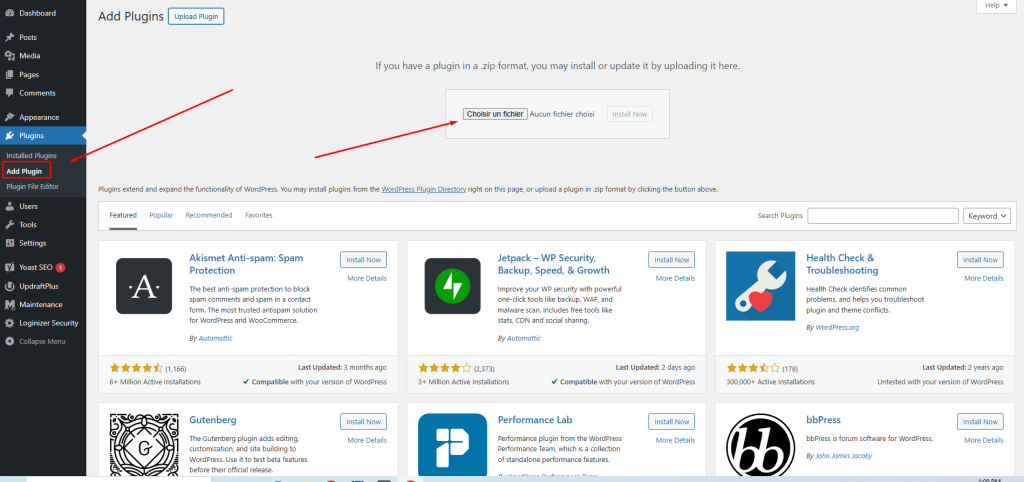
Open your email to find the link to download the plugin. Upload it to your WordPress website, then install and activate it. If you’re using the Lite free version, you’re all set. If you chose the Biz version, you will be asked to enter your license key. If you’re not sure how to do this, ask our free help here.
Check the scan and Add Custom fields (if necessary)
Once the plugin is activated, it’s time to complete the setup, which takes about 2 minutes — check this demonstration video on YouTube.
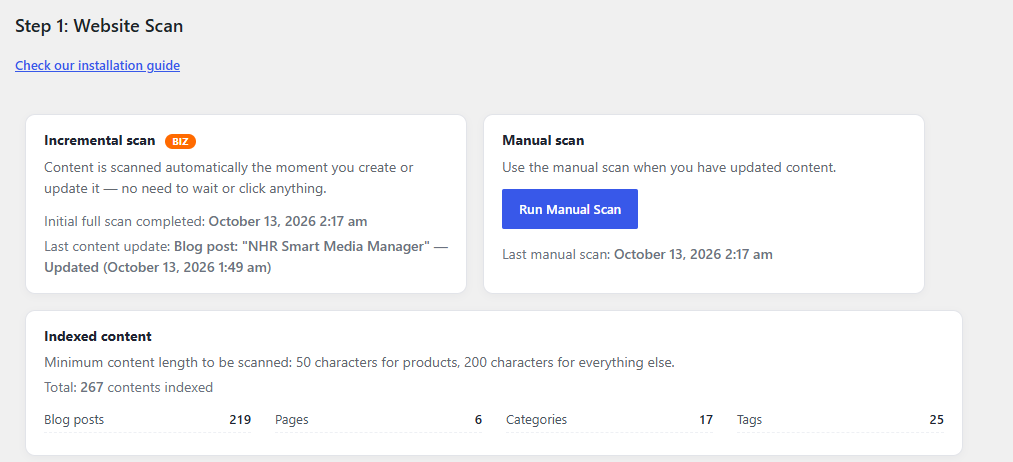
Look for “Fabio AI Chatbot Biz” or “Fabio AI Chatbot Lite” in the left-hand menu, and click on it. You will land on step 1: the scan. An automatic scan runs 3 seconds after the plugin is activated, and then repeats every 24 hours in the Lite (free) version. The scan dashboard shows when the last automatic scan ran, when the next one is due, and what was scanned. A manual scan option is also available.
However, the Biz (paid) version doesn’t rescan everything every day — it only scans what has been updated. Let’s say you update a few blog posts every day, or add and remove dozens of products daily. If you use the Lite version, you’ll have to trigger a manual scan for Fabio ChatBot to take these updates into account. However, if you use the Biz version, Fabio ChatBot will automatically scan the updated content in the blink of an eye, check out this demo video to see how the scan works in the Biz version.
The scan is fast and uses very few server resources. For example, a WooCommerce shop with 1,000 products and about 500 words of description per product will take less than 1 minute to scan. But basically, there’s nothing you need to do here — the scan runs on its own.
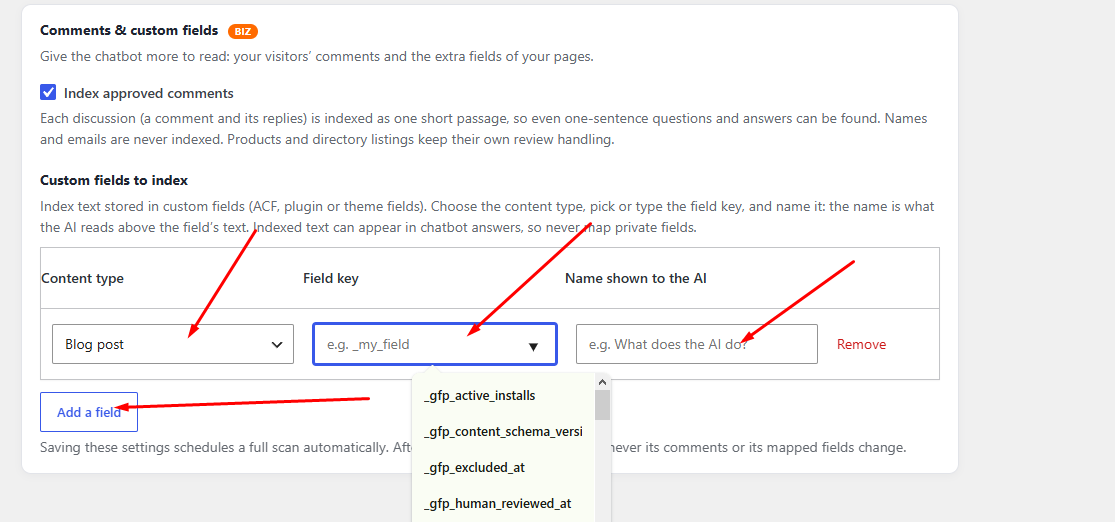
Fabio Chatbot Biz allows you to scan the comments. The scan never records the names, the ChatBot cites as “a users said” and “the developer replied”. Only the most recent comments are scanned. If you wish the comments to be a part of the scan, click “index approved comments” and run a manual scan. Every time a comment is approved, every time you answered, the page will rescan by the incremental scan.
If you have specific fields to scan, go to “custom field index”, choose the content type : post or pages , then click in the file “field key”, a list of all custom fields will be displayed. Simply select the one you want the Chatbot to visit, give it a name, save and launch a manual scan. If this seems too complicated, just ask us for free support.
Enter your API key
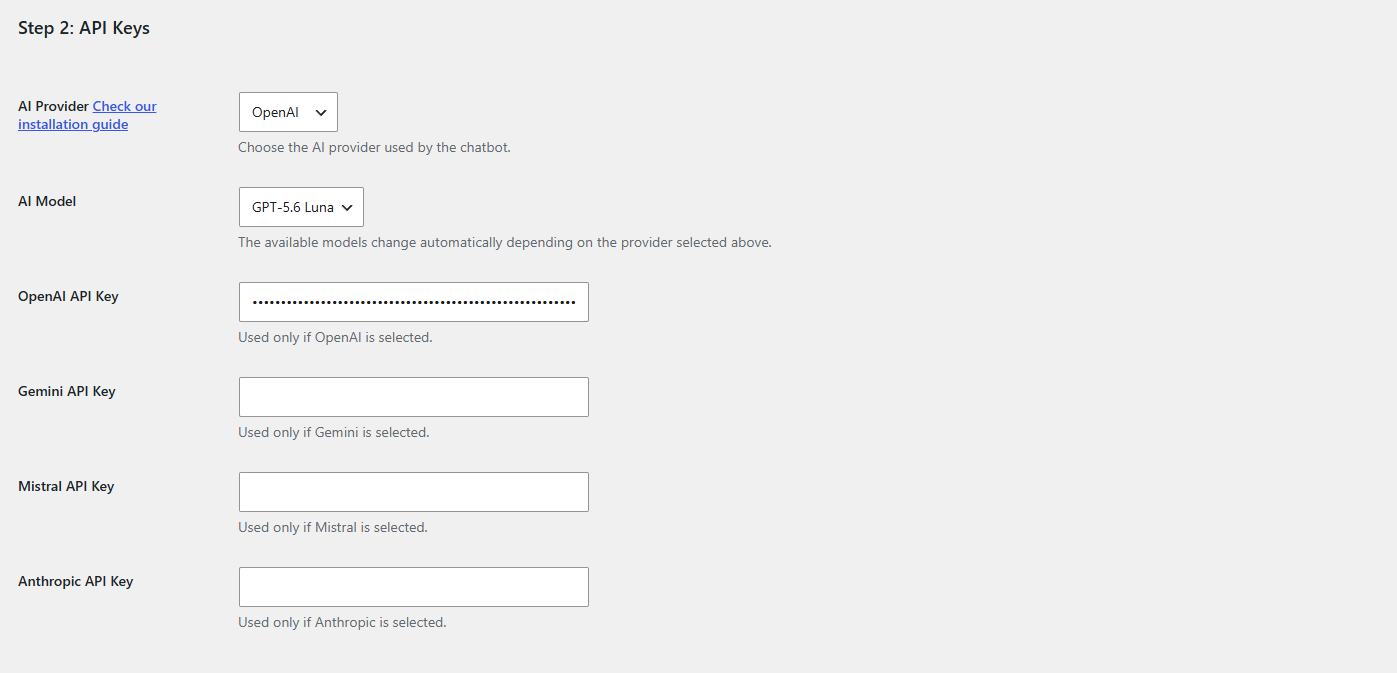
Fabio Chatbot Lite and Fabio Chatbot Biz both work on a Bring Your Own Key (BYOK) basis, which lets you choose your AI provider — check this demonstration video on YouTube.
You can choose OpenAI, Gemini, Mistral, or Anthropic. We don’t rely on large AI models — entry-level models work perfectly with Fabio Chatbot Lite and Biz. Why? The chatbot answers from your scanned content instead of re-reading your pages each time, which dramatically reduces token consumption.
Here is how to get an OpenAI key, how to get a Gemini key, and how to get a Mistral key. If this feels too technical, ask our free help here.
With a large model, expect around 1 USD for 100 conversations (questions and answers). With the entry-level models we offer, expect around 0.33 USD for 100 conversations. Our AI models are regularly updated with two goals in mind: reducing your token consumption and improving the quality of the answers.
Customize your chatbot’s colors
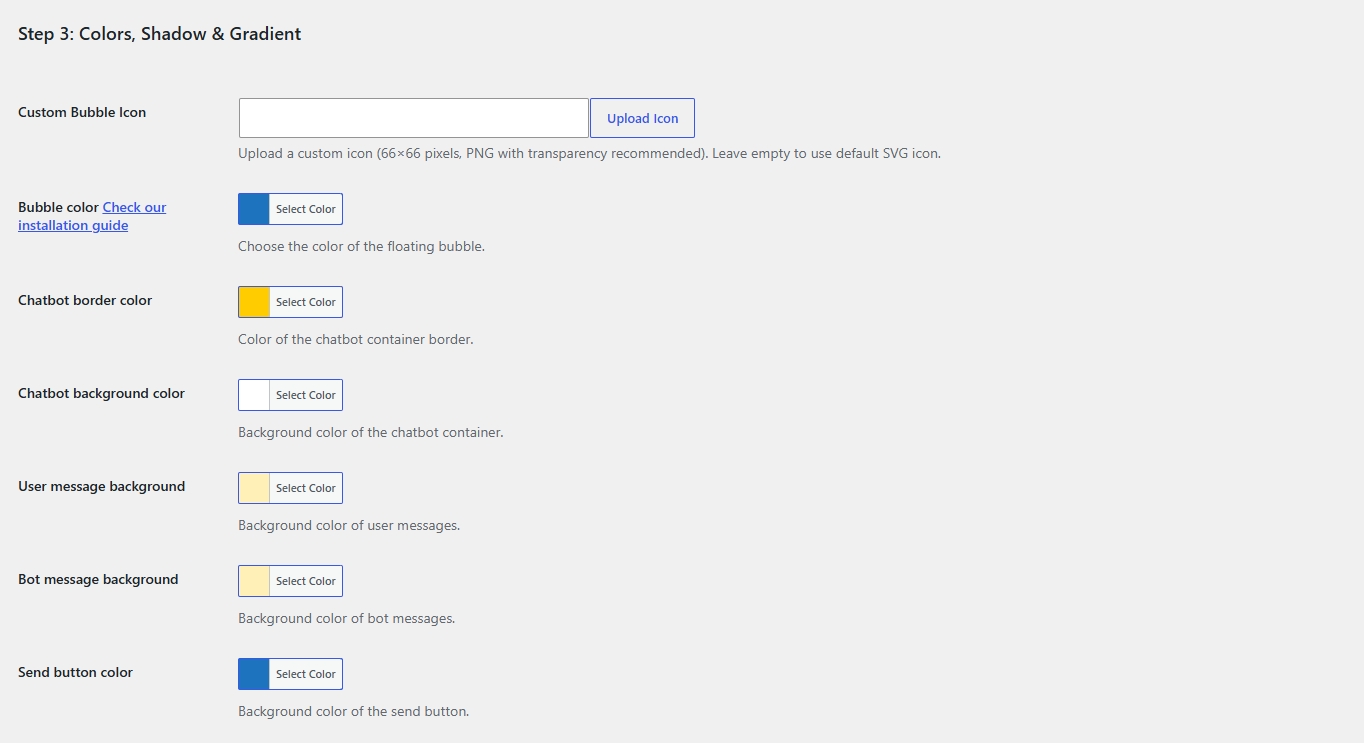
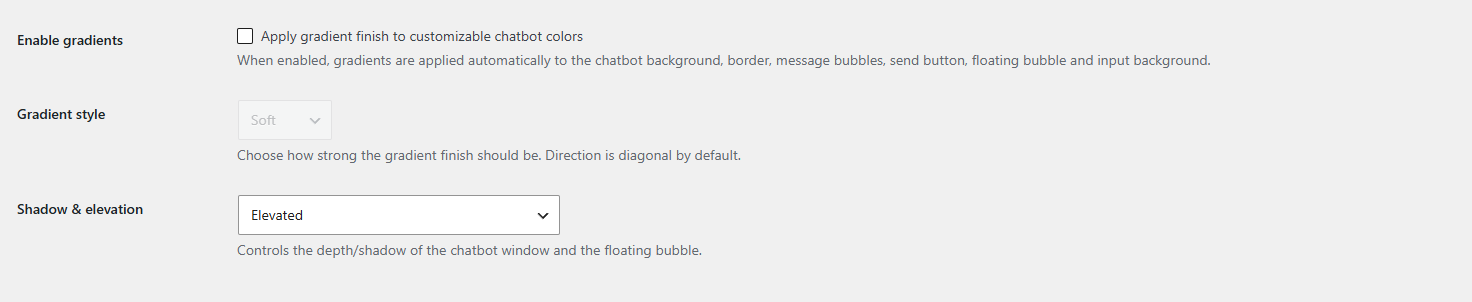
Fabio Chatbot Lite and Biz can both be customized. You can change the colors and apply 3 gradients and 3 shadow elevations. The Biz version also lets you change the pop-up bubble icon — check this demonstration on YouTube.
Choose how to display the ChatBot
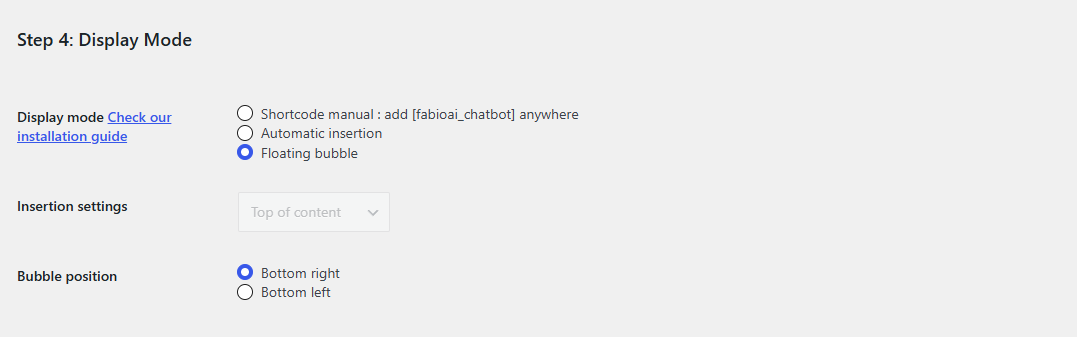
Fabio Chatbot Lite and Biz can be displayed as a pop-up bubble (better for mobile) or inserted directly into your content (better for large screens), either automatically or manually with the shortcode [fabioai_chatbot]. If you use page templates, you will need to insert the shortcode manually, check our demonstration video here.
Set the tone, welcome message, and buying intent detection
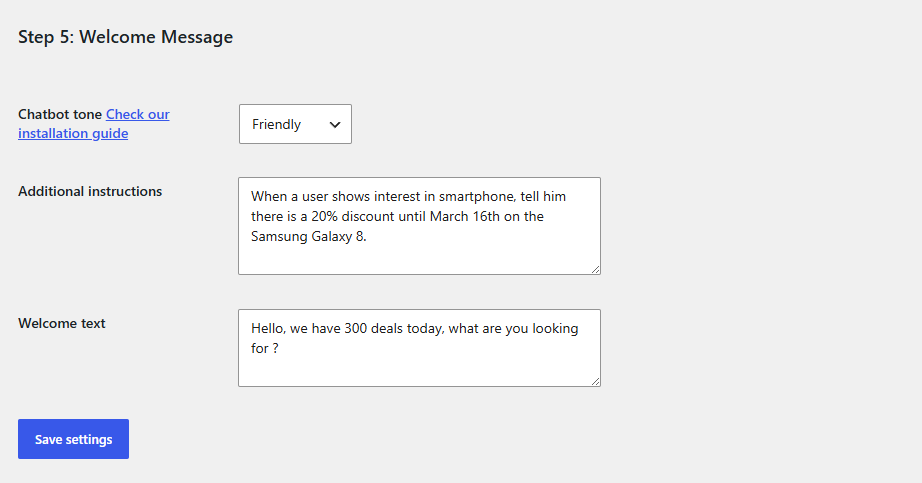
Fabio AI Chatbot is designed to maximize your chances of turning visitors into customers. To help with this, you get a choice of tone (Biz version), a welcome message (Lite and Biz), and an additional instructions field (Biz version).
There are 3 tones: friendly, professional (sales-oriented), and neutral (facts only). Check the demo video here.
The welcome message encourages visitors to engage with the chatbot. For example, if you run a home decor shop: “Which room would you like to decorate today?”.
Even better: in the Biz version, you can use the Additional Instructions field to trigger buying intent detection. Adding buying-intent instructions will greatly help turn visitors into customers, check the demo video here.
To make your life easier, we have prepared 20 additional information templates that will help the chatbot detect visitors who are in a buying process and take the right action. If you are lost here, ask us help on the forum.
Test your chatbot
Done! Fabio ChatBot Lite or Biz is ready — it has scanned your content and can now answer your visitors’ questions. Go to any page on your website and test it. Feel free to use our free support to fine-tune it.
You will be able to review all the conversations your visitors have had, as well as the chatbot’s answers. This will greatly help you understand what your visitors are looking for and how well your content answers them. To learn more about conversation analytics, check this demonstration video.