Once installed on a website with the WooCommerce plugin, Fabio AI ChatBot scans all products and stores the results in a dedicated table. The scan typically completes in under a minute for 1,000 products. After the scan, you should run tests to ensure the chatbot understands your product catalog accurately.
Perform these tests and verify that the answers match the data in the "Products" section of your WooCommerce backend:
- What is the cheapest and the most expensive [product name]?
- Which [product name] is the cheapest/most expensive?
Next, test queries based on what your audience might search for. Examples include:
- Looking for a blender with the largest capacity
- Looking for a car with low fuel consumption
- Looking for a phone with [feature] and [feature] for under [price]
If the chatbot responds with "This website doesn’t have these products" despite the items being listed in WooCommerce, this is due to AI restrictions we enforce to prevent hallucinations. Don’t worry—we’ll help you fix it. Contact our support team for free assistance.
Additionally, after testing and once Fabio AI ChatBot is live, check the Analytics section daily (see screenshots below for reference):
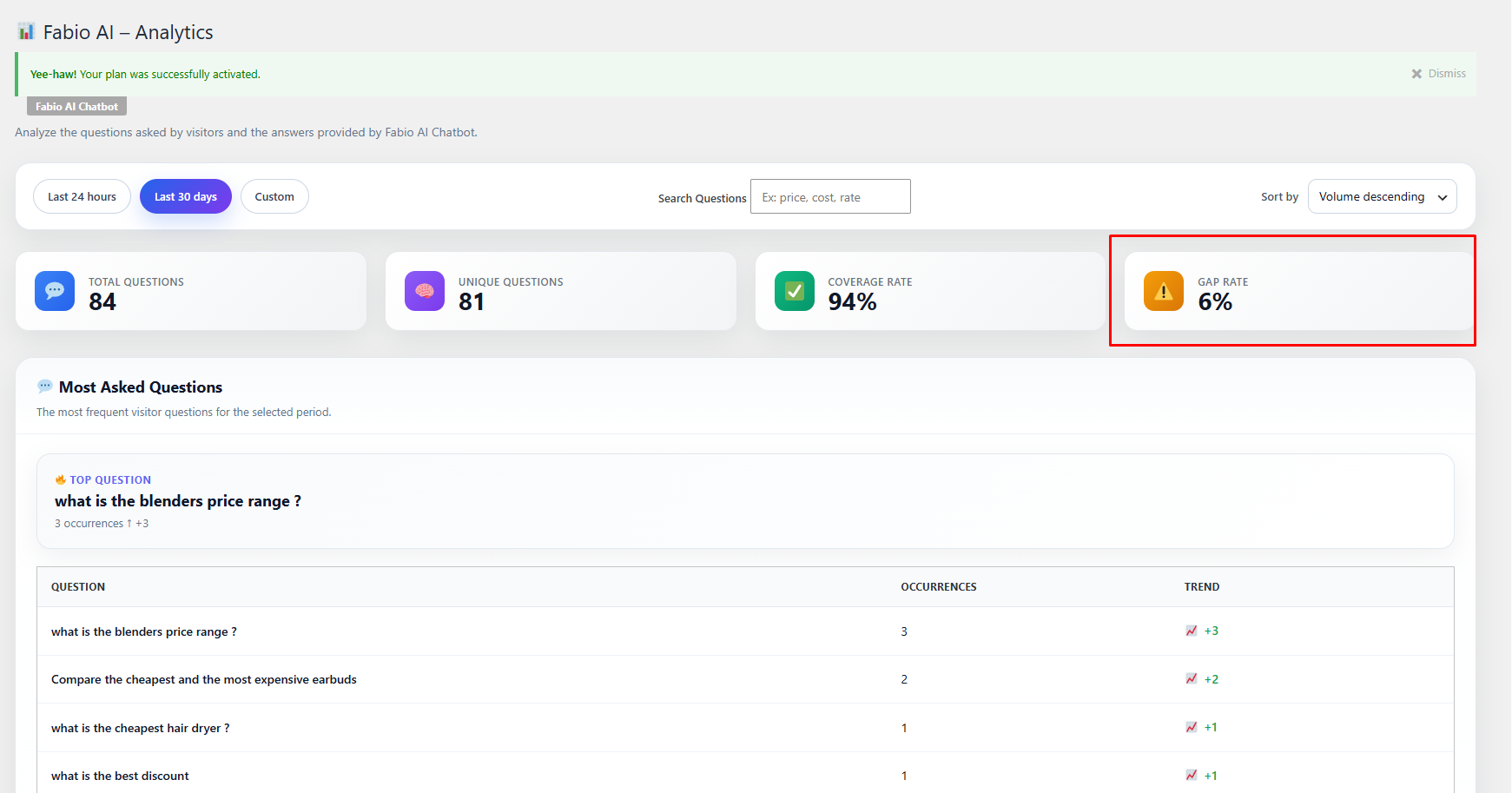
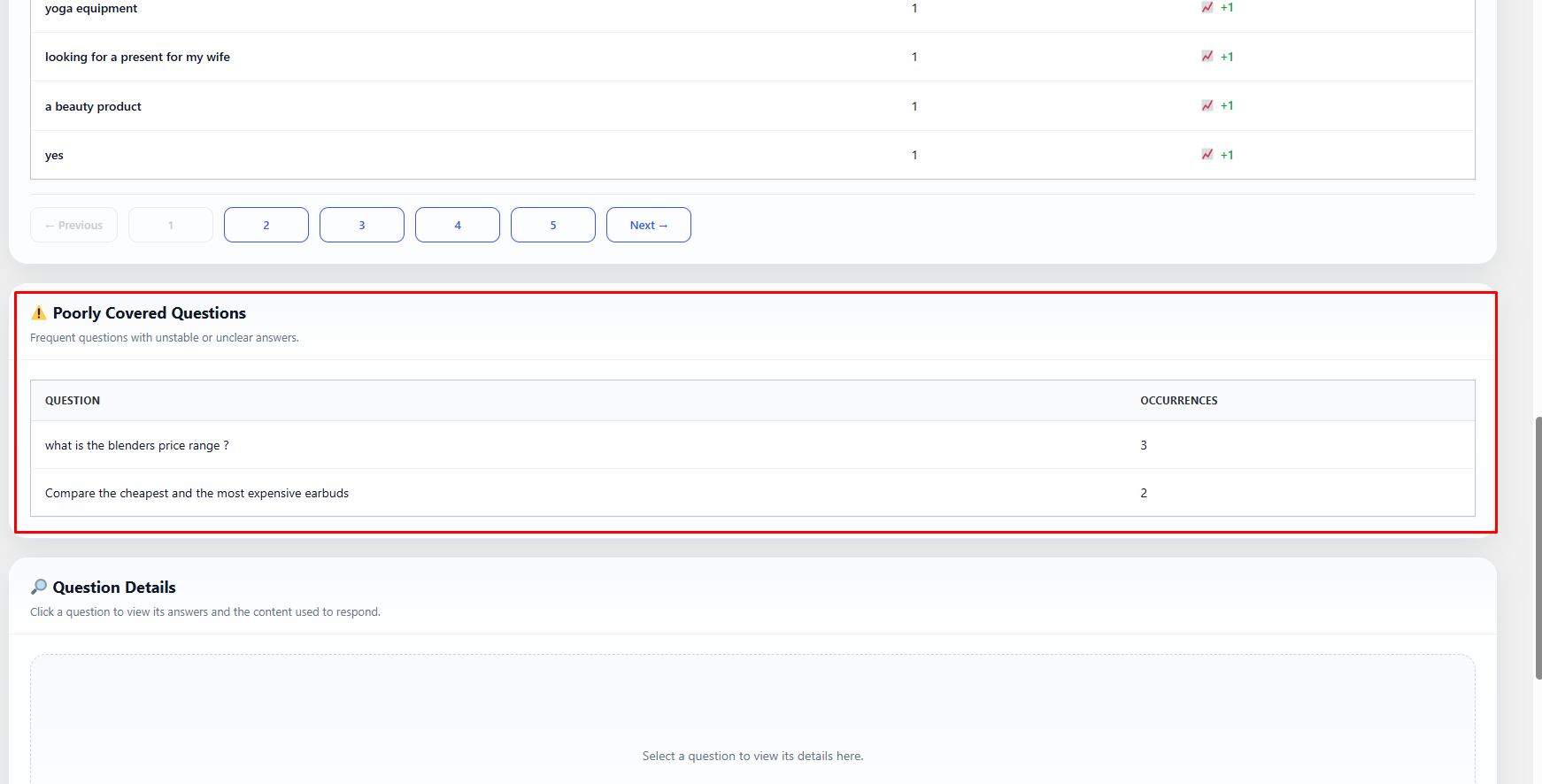
The Analytics section helps you identify and address gaps in responses. Sometimes, product descriptions may lack sufficient detail for the chatbot to provide accurate answers. However, if you’ve exhausted all options and the chatbot still doesn’t answer certain questions, contact us, and we’ll help you resolve the issue.
.

