
 Fabio
FabioThere are 2 ways to analyze the conversations between your visitors and Fabio AI ChatBot : by consulting the analytic page and by downloading the conversations on your local machine.
1- Analyzing the conversations directly on the analytic page.
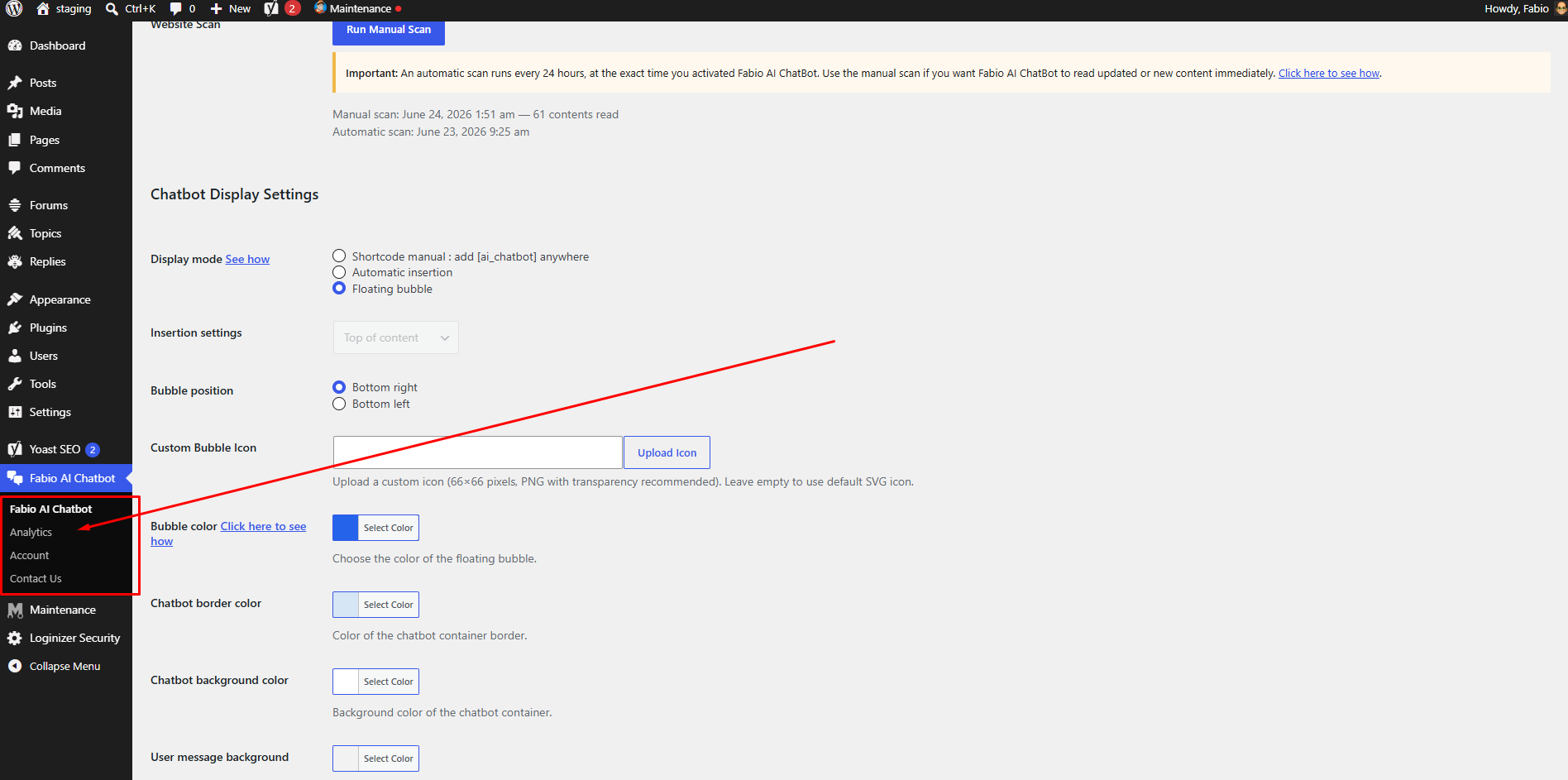
Begin by viewing our how to video here, then go to your WordPress backend, and look for “Fabio AI Chatbot” in the left barre menu. Pass your mouse on “Fabio Ai Chatbot”, you will see a dropdown menu with an option for “Analytics”. Click on “analytics”, it will guide you to the analytic page.
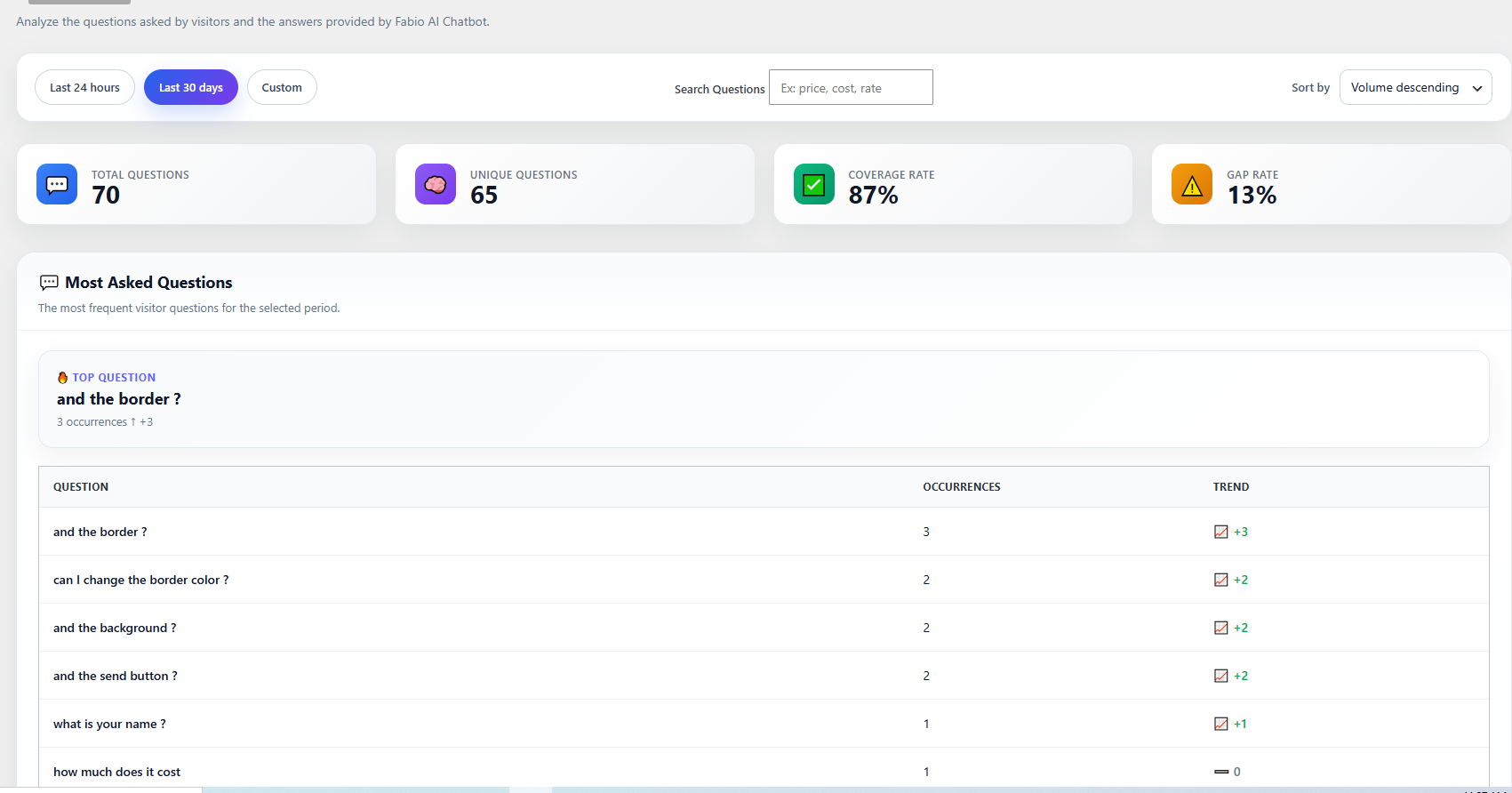
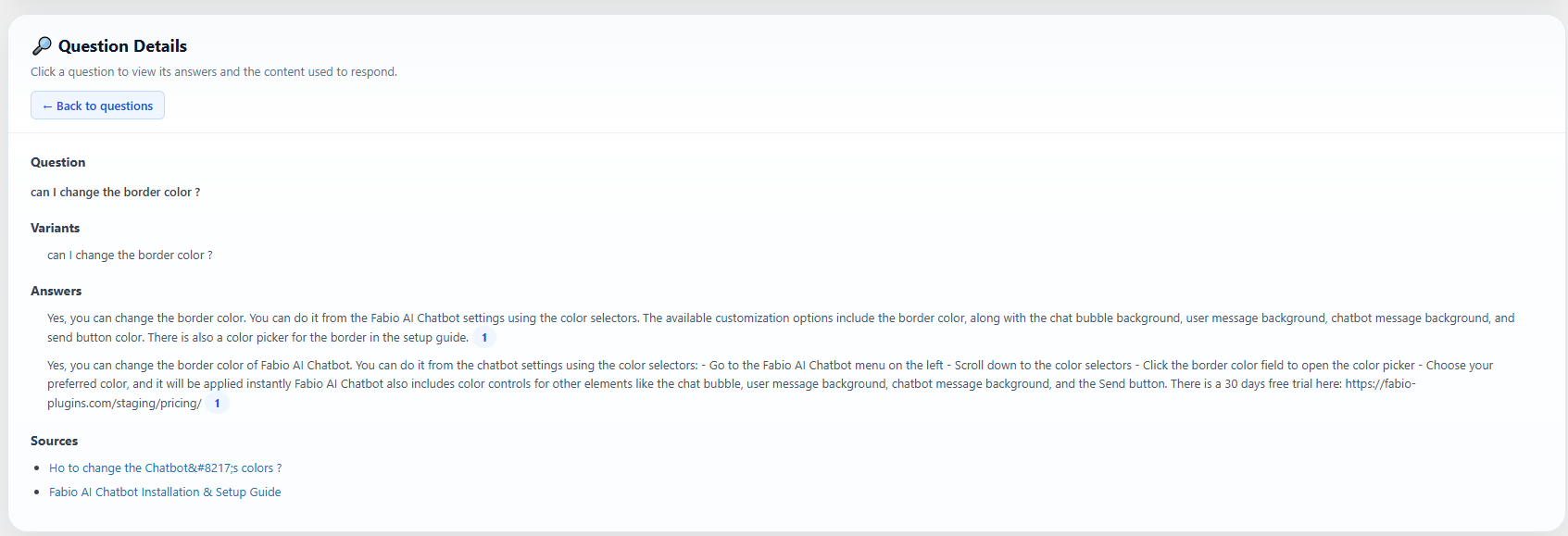
On this analytics page, you can review all questions asked by your visitors, along with the answers and sources provided by Fabio AI Chatbot. You can select questions within a specific date range or filter them by one or more keywords. Click on any question, and the screen will scroll down to the corresponding answer from Fabio AI Chatbot, allowing you to assess whether your content provides the correct information.
With these analytics, you can easily identify if certain information should be more prominent in your content and update the relevant pages accordingly.
2- Analyzing the conversations by downlaoding all on a csv and passing the csv in your own AI
Fabio AI ChatBot allows you to download all conversations from their database, which also empties this database. This allows you to identify the most frequently asked questions, the questions that take the longest to answer, and other useful insights.
1 — Go to the plugin admin.
Click “Download and clear database after export”, then click the button “Download conversations (CSV)”.
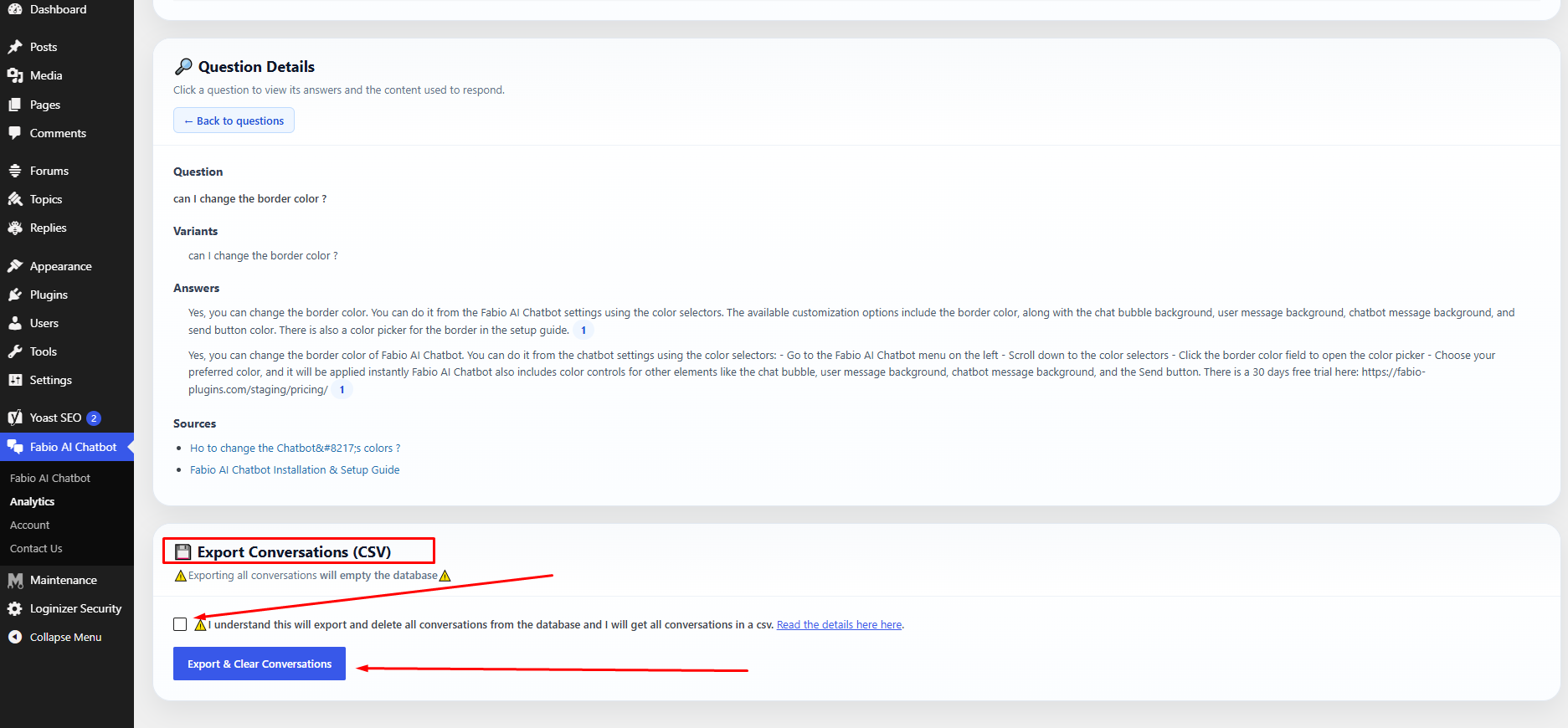
2 — The export will download and clear the conversation database.
After the export, the conversation database is automatically emptied to reduce server resource usage. The CSV file will look like this:
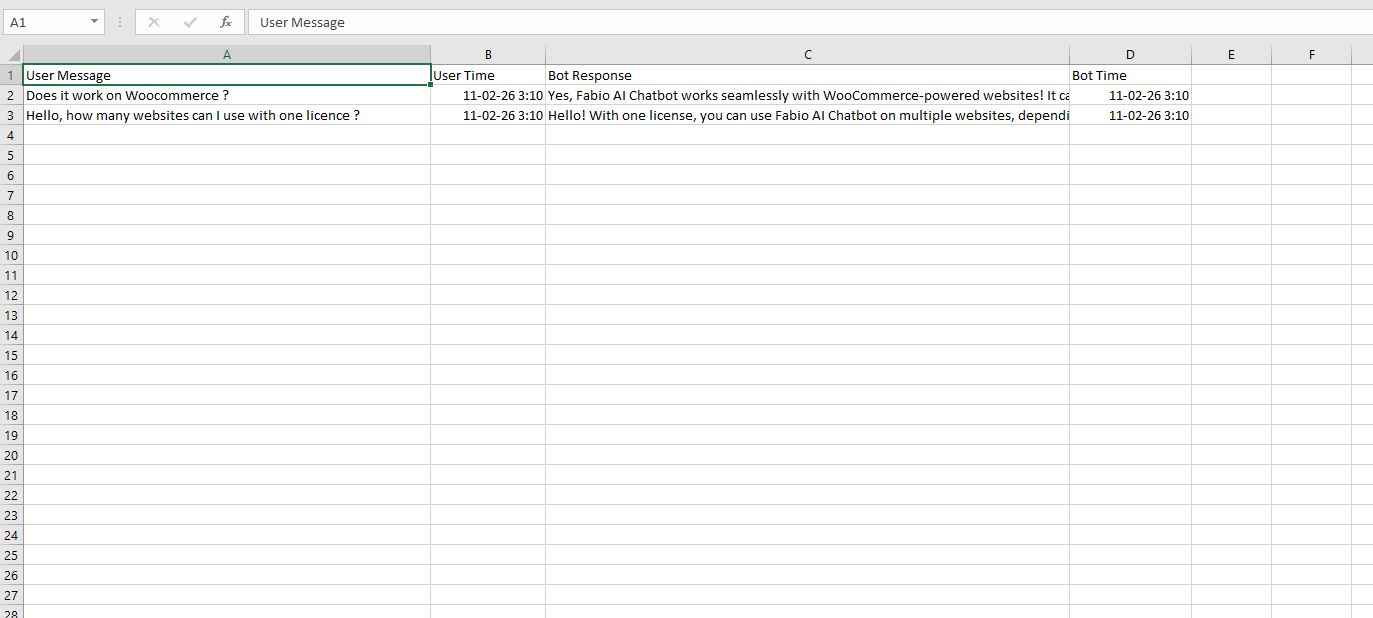
3 — Upload the CSV file to any AI tool and use a prompt like the one below:
I have exported a CSV file containing conversations between visitors and my website chatbot.

The CSV contains user messages and chatbot replies.

Your task is to analyze this file and provide:

- The most frequently asked questions or topics (group similar questions together)
- The questions that take the longest to answer
- The top recurring user intents
- Any repeated problems, confusion, or unmet needs
- Content gaps on my website suggested by these questions
- Suggestions for new pages, FAQs, or improvements based on user demand
- A short executive summary of what visitors are mainly looking for

If possible:
- Categorize questions by theme
- Provide percentages or frequency estimates
- Highlight opportunities to improve conversions

Base your analysis only on the data inside the CSV.
Be structured, clear, and concise.
Why should you analyze these questions?
Because it helps you understand which questions your audience asks most often, and which answers the chatbot cannot find in your content.
If Fabio AI Chatbot cannot find an answer, it usually means the information is not clearly explained on your website.
When your analysis shows responses such as “I can’t find the answer in the content”, you should improve or expand the information related to that question on your site.
-
This reply was modified 5 months, 3 weeks ago by
Fabio.
-
This reply was modified 5 months, 3 weeks ago by
-
This reply was modified 2 months ago by
-
This reply was modified 2 months ago by
-
This reply was modified 2 months ago by
-
This reply was modified 1 month, 3 weeks ago by