
Home › Forum › Help with setting up and configuring Fabio AI Chatbot › Help setting a buying intent detection
- This topic is empty.
-
AuthorPosts
-
-
October 28, 2026 at 4:08 am #1500
Fabio Plugins Devs
KeymasterFabio ChatBot Biz has an additional instruction field that allows HTML links, and where you can indicate your offers. Please note that the free version (Lite) doesn’t have it. The additional instruction field is where you enter the buying intent detection and reaction : what do you want Fabio ChatBot Biz to tell users when ask something.
You can promote newsletter sign up when a user shows interest in information, you can offer coupon and discount codes when users show interest in a product, let’s see how this works.
Let’s say that you have a WooCommerce shop selling kitchen appliances, and that this week you offer a recipe book with any slow cooker purchase.
Click on “Fabio ChatBot Biz” in the left admin menu to go to the settings page. Scroll down to “Step 5”, where you will see a field called “Additional instructions and Buying Intent Detection”. This is where you instruct the AI on the reaction it should have when a visitor shows interest in something specific.
In this case, we want the AI to mention the free recipe book with any slow cooker purchase to each visitor asking for a slow cooker. Here is an example of how to set a reaction to buying intent detection.
Before this, keep in mind that “Additional instructions and Buying Intent Detection” allows HTML links.
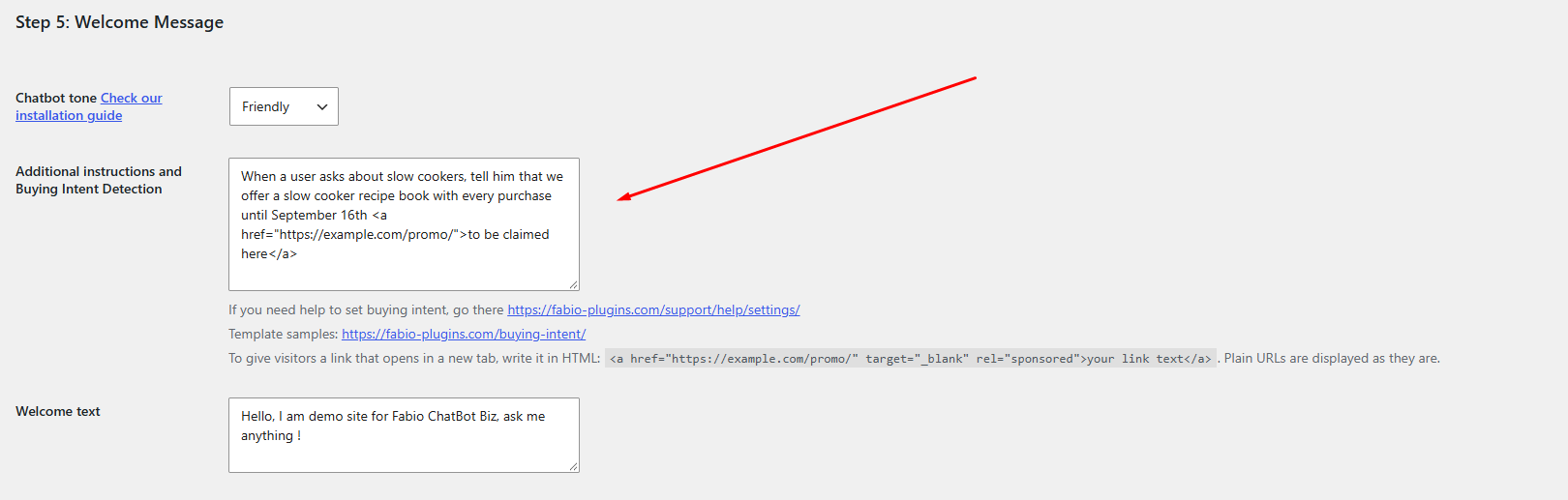
1 – Simple buying intent detection and reaction: “When a user asks about slow cookers, tell him that we offer a slow cooker recipe book with every purchase until September 16th.”
2 – Buying intent detection and reaction with a link: “When a user asks about slow cookers, tell him that we offer a slow cooker recipe book with every purchase until September 16th
<a href="https://example.com/promo/">to be claimed here</a>.”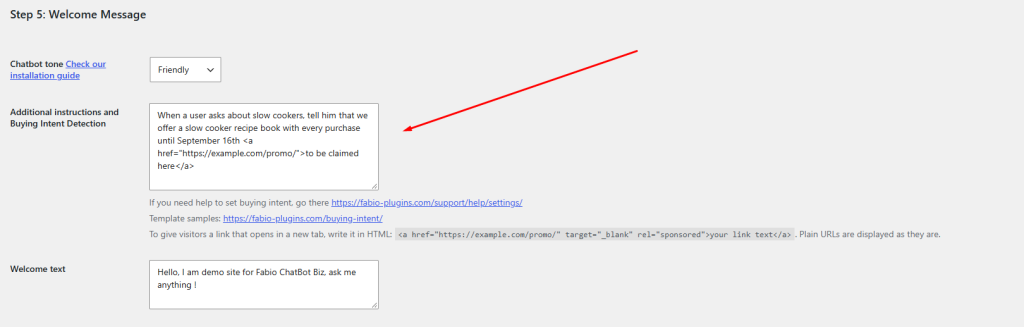
Reaction to a buying intent Fabio ChatBot Biz will show a clickable link, opening in the same tab, to users asking about slow cookers.
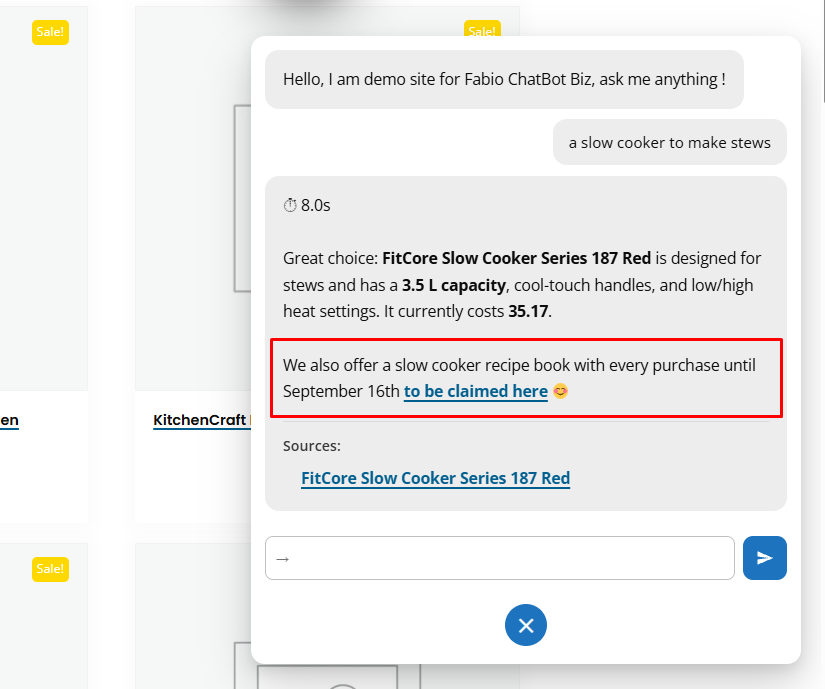
How Fabio ChatBot Biz answers after detecting a buying intent Yet you can use buying intent detection for anything. Here are more examples.
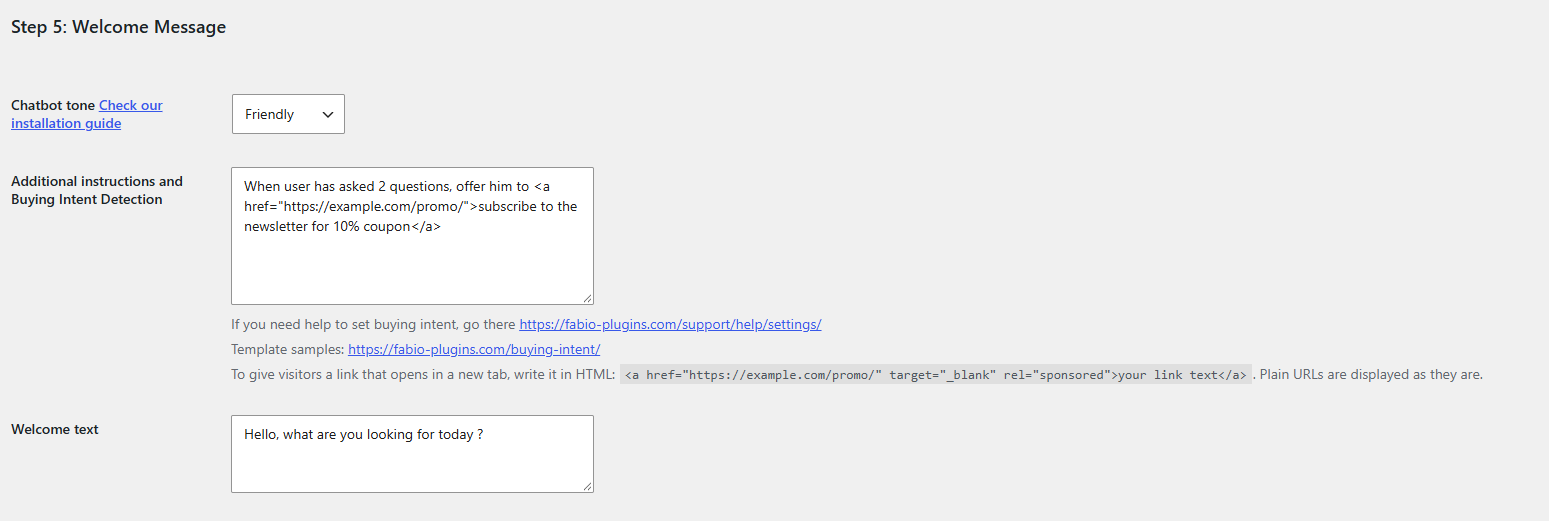
3 – How to push users to sign up to the newsletter: “When a user has asked 2 questions, invite him to
<a href="https://example.com/promo/">subscribe to the newsletter here</a>.”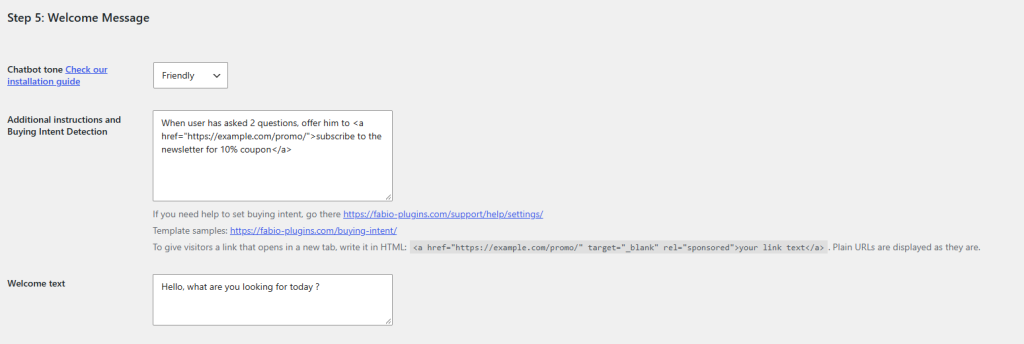
How to trigger a sign up to the newsletter Fabio ChatBot will display the message, with a link opening in the same tab, to users who have asked more than 2 questions.
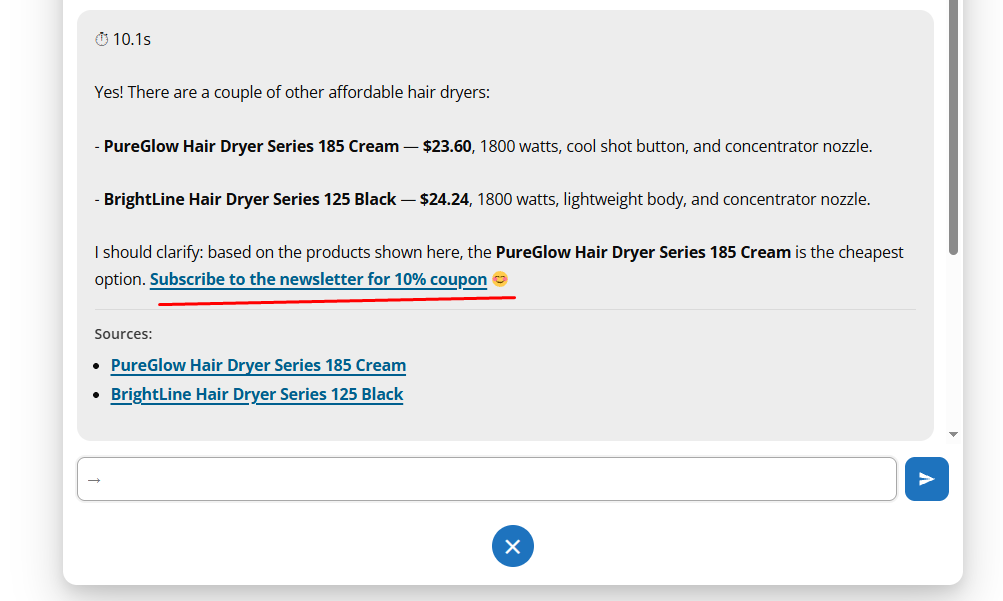
Newsletter reaction buying intent 4 – Let’s say you have an affiliate business, and you want users to visit an external page that offers downloadable family recipes for slow cookers, and that you get paid for each download. You would enter this buying intent reaction: “When a user asks about a kitchen appliance for 4 people or more, tell him he can
<a href="https://example.com/affiliatetracking/" target="_blank" rel="sponsored">download a family-saving recipe book for slow cookers by Chef Gusto</a>.”5 – How to book a consultation for professional advice. Let’s say you are a lawyer specialized in health insurance claims, and you want to book consultations with visitors who are dissatisfied with their insurer’s answer. You would do this:
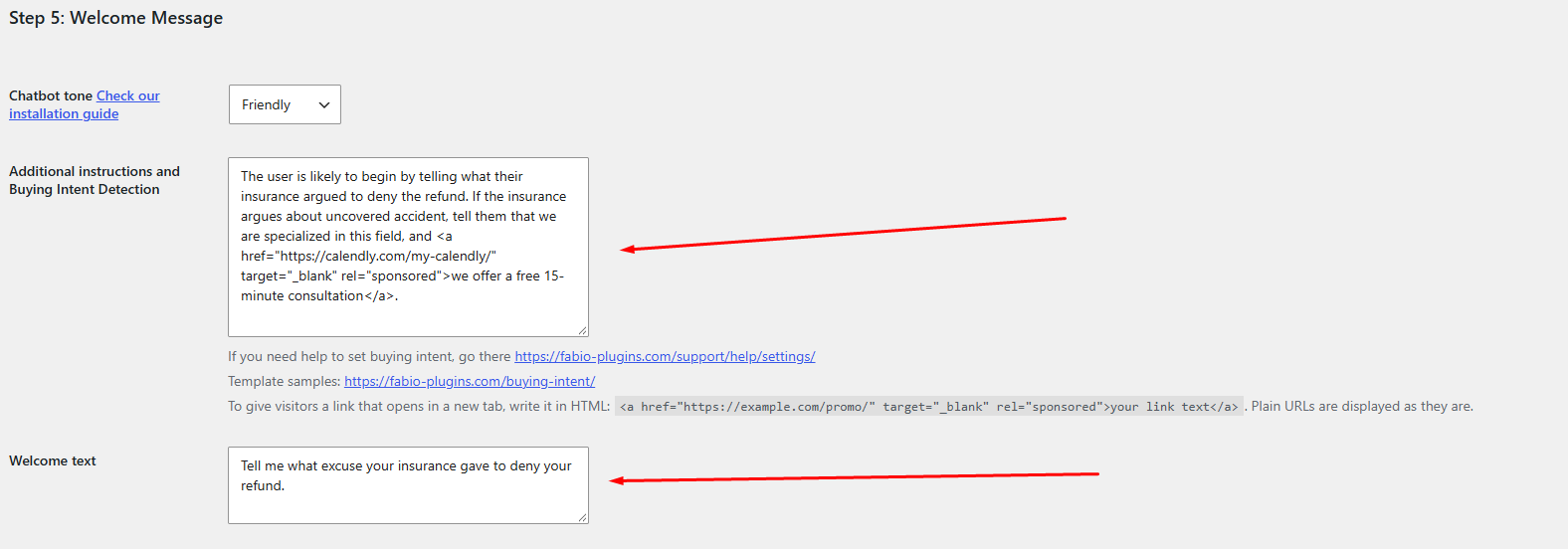
– In the welcome message, write: “Tell me what excuse your insurance gave to deny your refund.” The user will then begin by writing what their insurer argued to deny the refund.
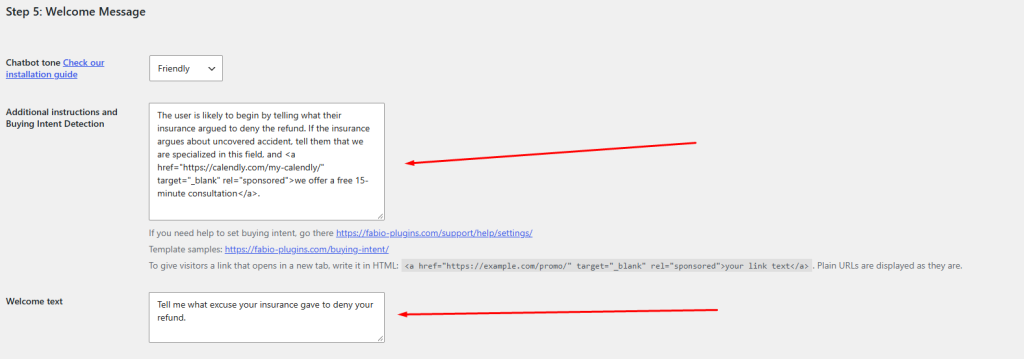
Set a first question in the welcome text field, as well as the buying intent reaction. – In the additional instructions field, write: “The user is likely to begin by telling what their insurance argued to deny the refund. If the insurance argues about [uncovered accident], [subscriber age], […] or […], tell them that we are specialized in this field, and
<a href="https://calendly.com/my-calendly/" target="_blank" rel="sponsored">we offer a free 15-minute consultation</a>.”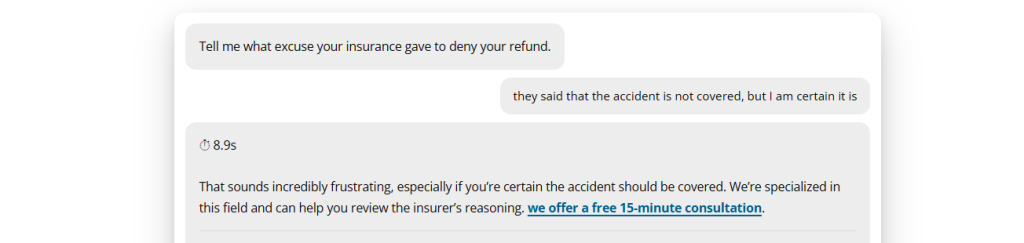
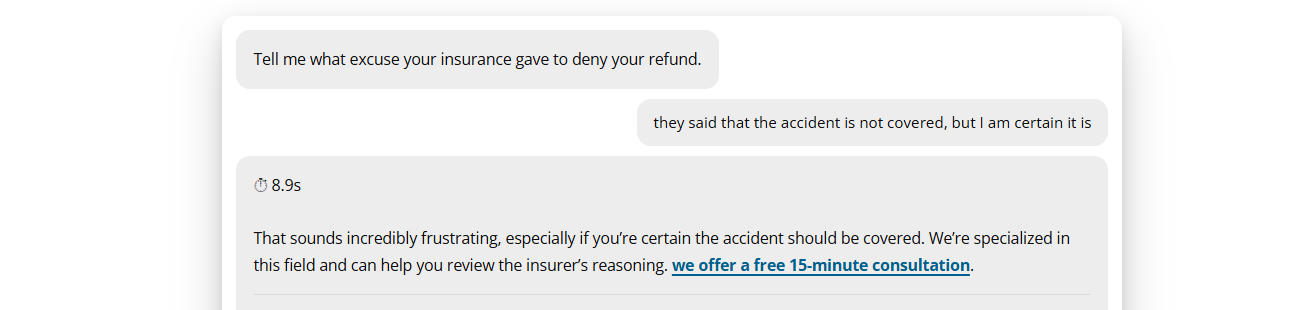
The ChatBot will display the link to the appointment booking box. The Fabio ChatBot Biz buying intent reaction can be used to capture leads in any industry. If you need help setting up a full buying intent path, just reply to this topic with your needs. We will help you set up an effective reaction that should trigger more leads.
-
-
AuthorPosts
- Have a question on this subject?
Ask a question on this subject
Create a free account to post your question. We reply within 1 business day.