
- This topic has 1 reply, 1 voice, and was last updated 3 weeks, 5 days ago by
Fabio.
-
AuthorPosts
-
-
February 11, 2026 at 4:21 am #407
Fabio
KeymasterHow can I download the users’ conversations with the Chatbot ? And is there a way I can analyse these conversations ?
-
February 11, 2026 at 4:36 am #410Keymaster
Yes, you can download the conversations for analysis. This allows you to identify the most frequently asked questions, the questions that take the longest to answer, and other useful insights.
1 — Go to the plugin admin.
Click “Download and clear database after export”, then click the button “Download conversations (CSV)”.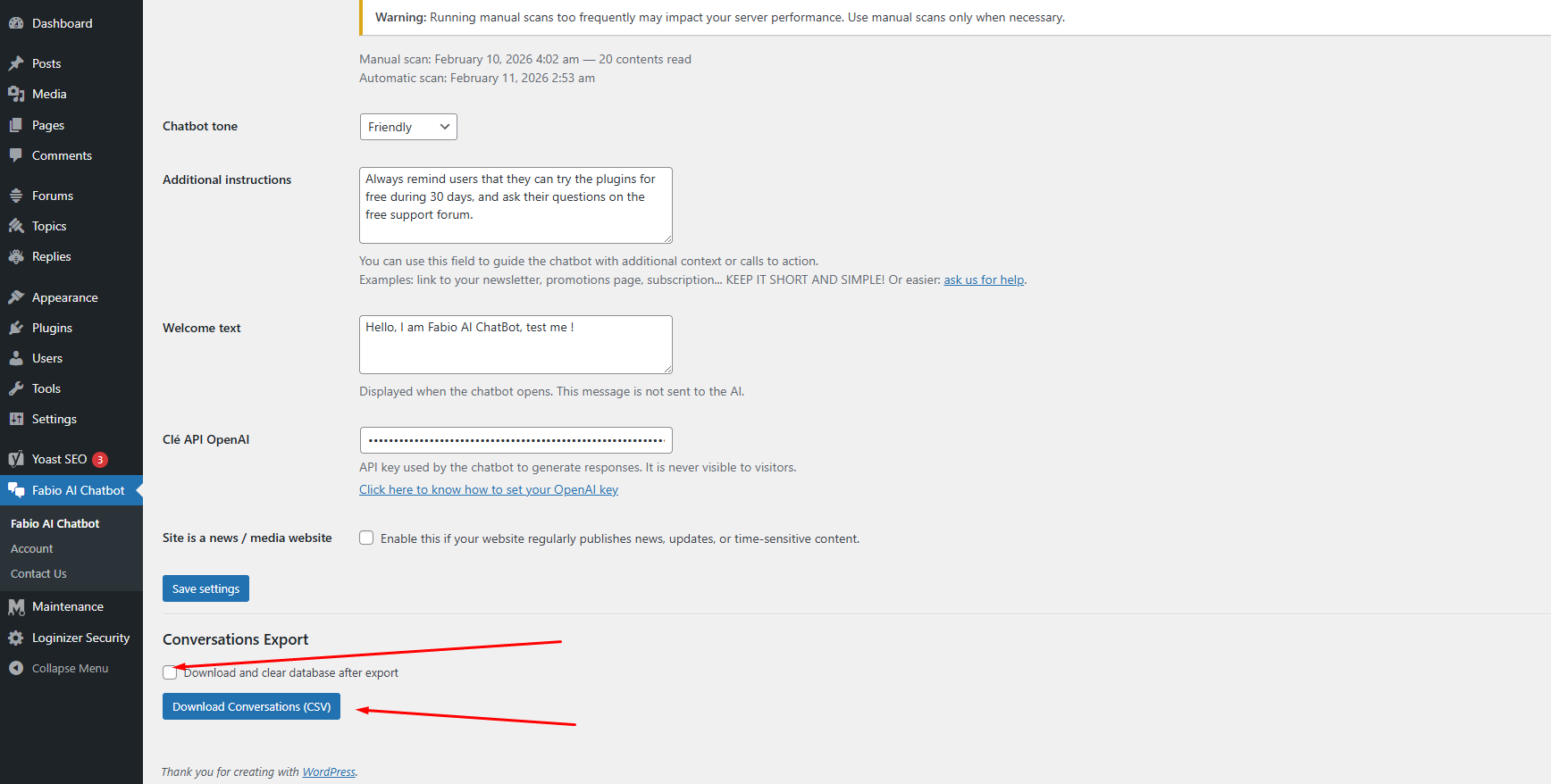
2 — The export will download and clear the conversation database.
After the export, the conversation database is automatically emptied to reduce server resource usage. The CSV file will look like this: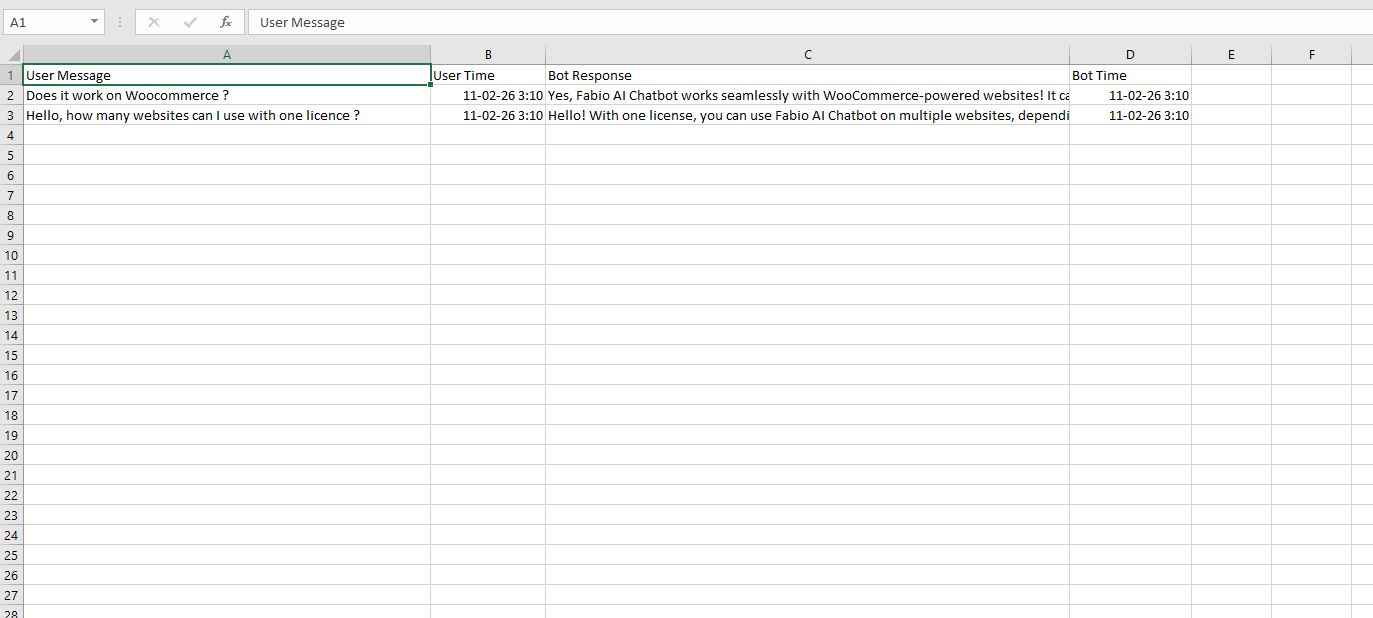
3 — Upload the CSV file to any AI tool and use a prompt like the one below:
I have exported a CSV file containing conversations between visitors and my website chatbot.

The CSV contains user messages and chatbot replies.

Your task is to analyze this file and provide:

- The most frequently asked questions or topics (group similar questions together)
- The questions that take the longest to answer
- The top recurring user intents
- Any repeated problems, confusion, or unmet needs
- Content gaps on my website suggested by these questions
- Suggestions for new pages, FAQs, or improvements based on user demand
- A short executive summary of what visitors are mainly looking for

If possible:
- Categorize questions by theme
- Provide percentages or frequency estimates
- Highlight opportunities to improve conversions

Base your analysis only on the data inside the CSV.
Be structured, clear, and concise.
Why should you analyze these questions?
Because it helps you understand which questions your audience asks most often, and which answers the chatbot cannot find in your content.
If Fabio AI Chatbot cannot find an answer, it usually means the information is not clearly explained on your website.
When your analysis shows responses such as “I can’t find the answer in the content”, you should improve or expand the information related to that question on your site.
-
-
AuthorPosts
- You must be logged in to reply to this topic.