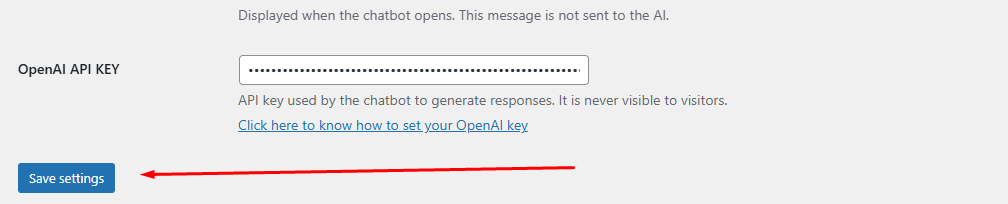
1️⃣ 1- Take the 30 days FREE trial
Click here to know more about the 30 days 100% free trial
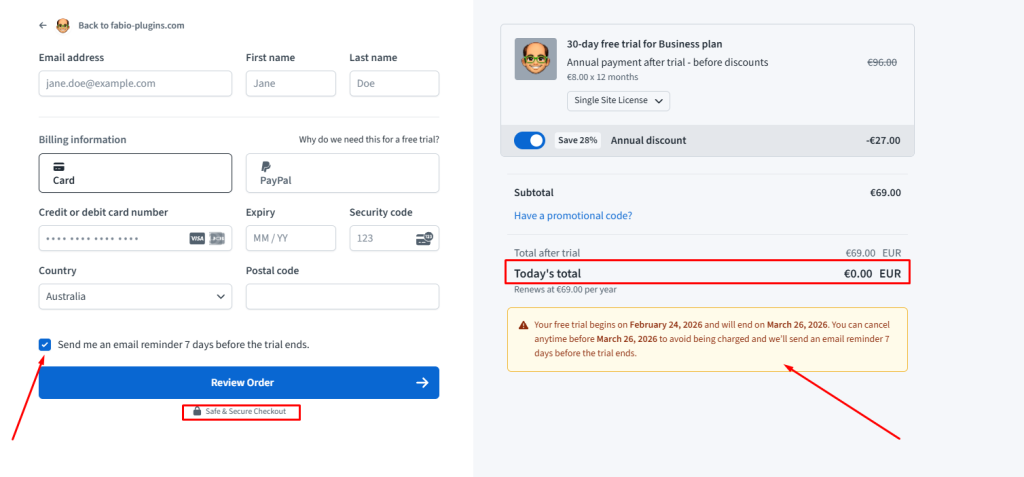
Choose the plan based on the number of websites you want to use Fabio AI Chatbot on.
✅ No payment is made during the 30-day free trial.
🔒 Payments are handled securely by our payment provider.
2️⃣ 2- Upload the Plugin
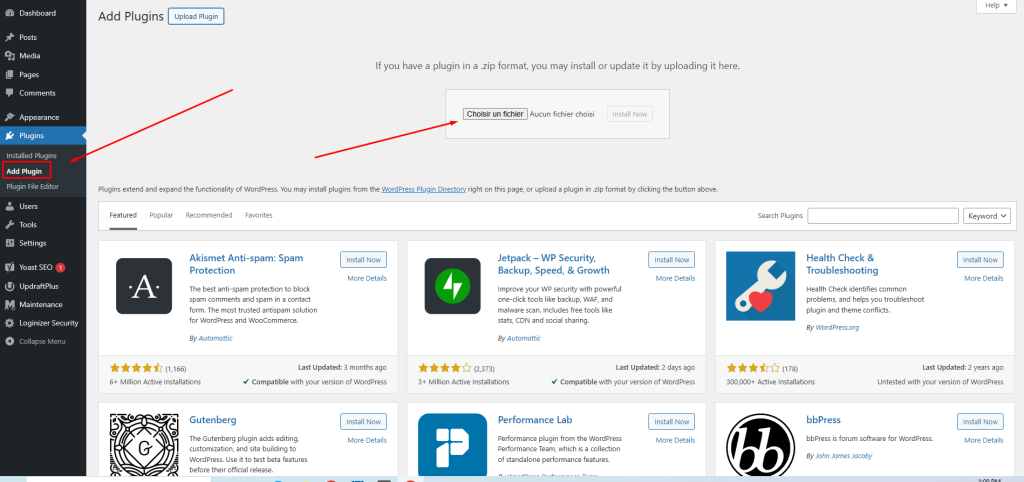
Upload, install and activate the plugin.
3️⃣ 3- How it looks like
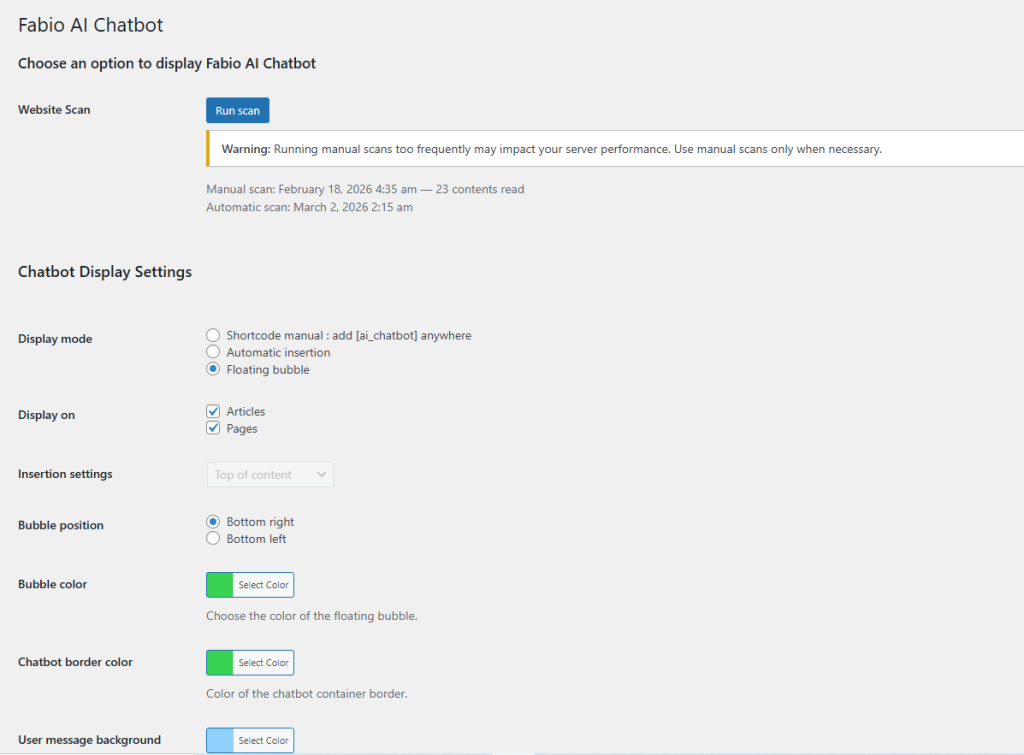
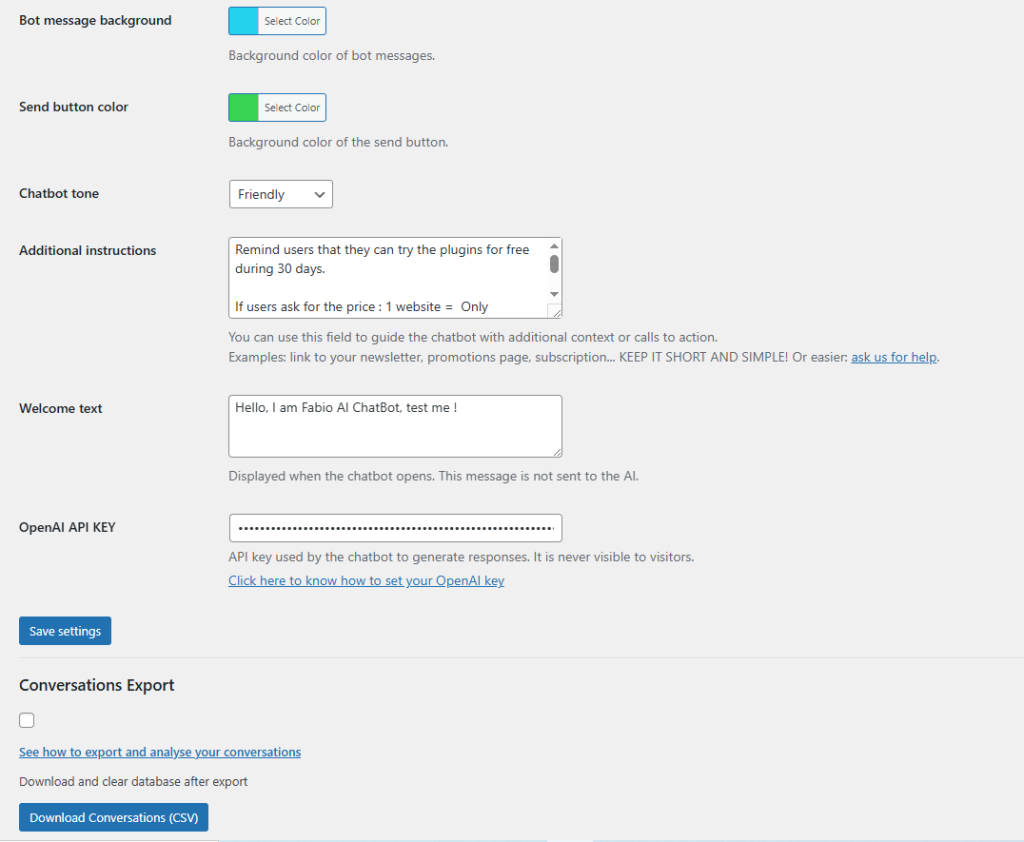
Clean and intuitive interface.
4️⃣ 4- Let the scan run

Automatic daily scan.
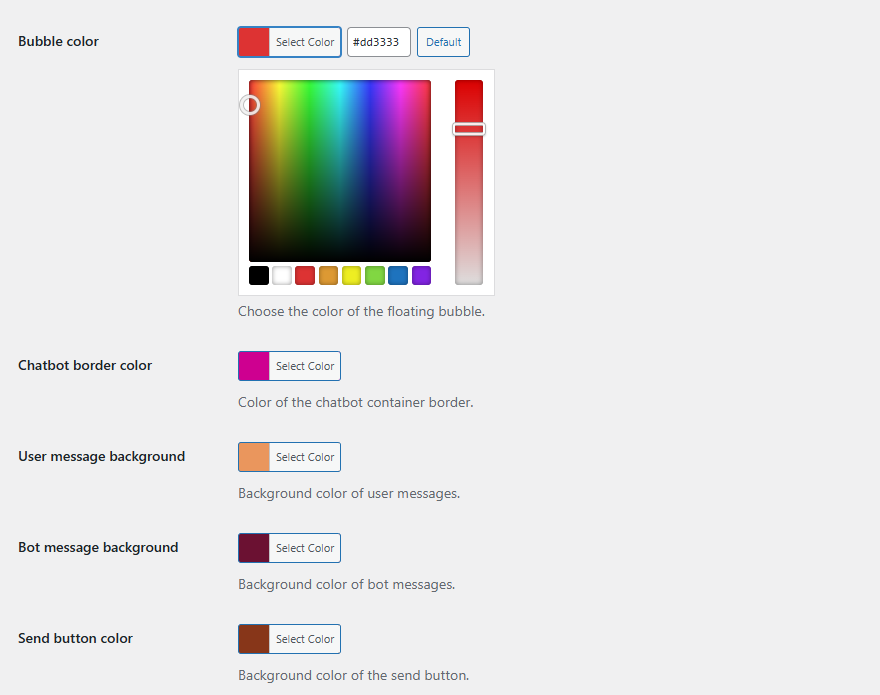
5️⃣ 5- Choose how to Display Fabio AI ChatBot
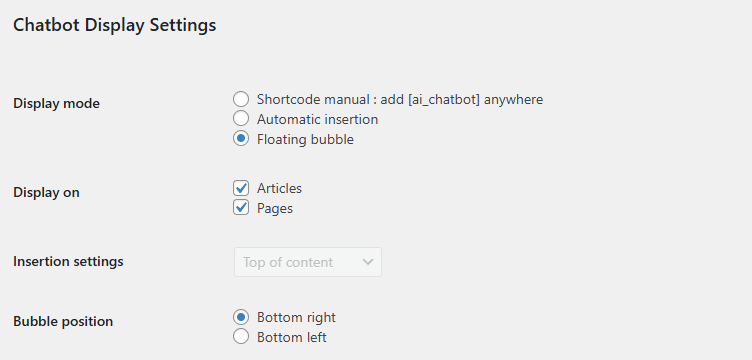
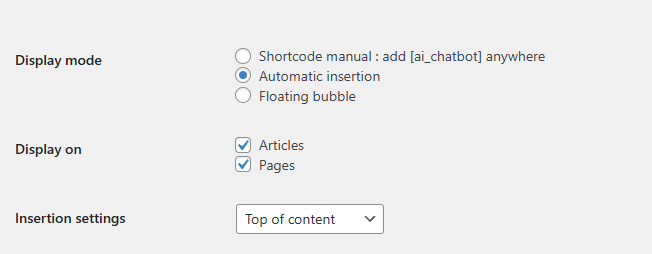
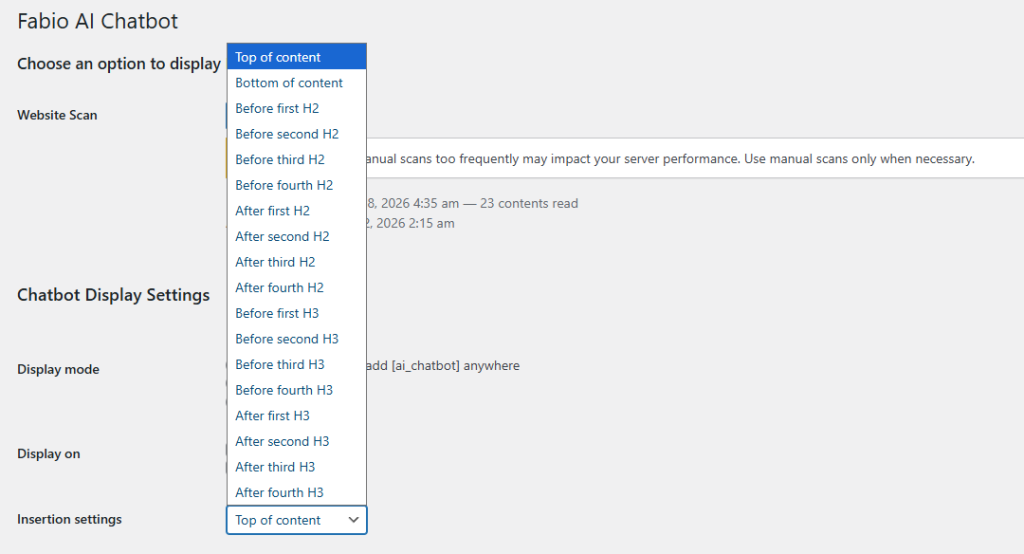
7️⃣ 7- Choose the tone
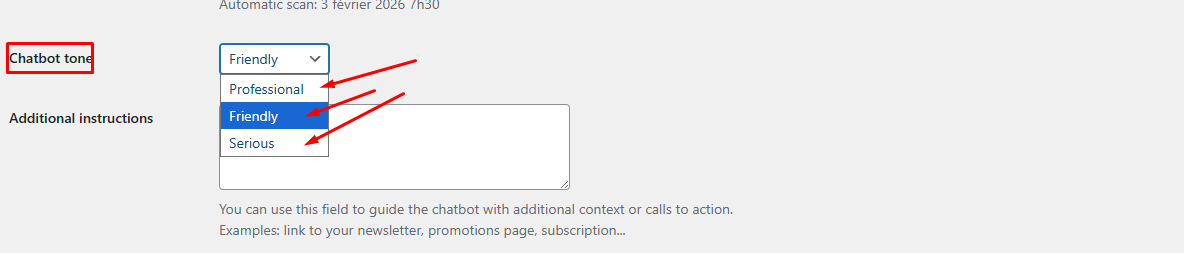
8️⃣ 8- Optional: give additional instructions

9️⃣ 9- Add the welcome phrase

🔟 10- Add your OpenAI API key And Save