
Fabio AI Chatbot is designed to be installed in 2 minutes on e-commerce websites. As soon as it is activated, the automatic scan starts.
It only takes a few seconds to scan 1,000 products, including stock status, prices, discounts, descriptions, and titles.
Its goal is simple: help visitors immediately find the information they are looking for, so they don’t leave your site. You can place the chatbot manually with a shortcode, automatically before or after headings, or as a visible pop-up button.
How to install Fabio AI Chatbot on your website
To install Fabio AI Chatbot on your e-commerce website, follow the installation process described here.
Once activated, the chatbot automatically scans your entire WordPress store.
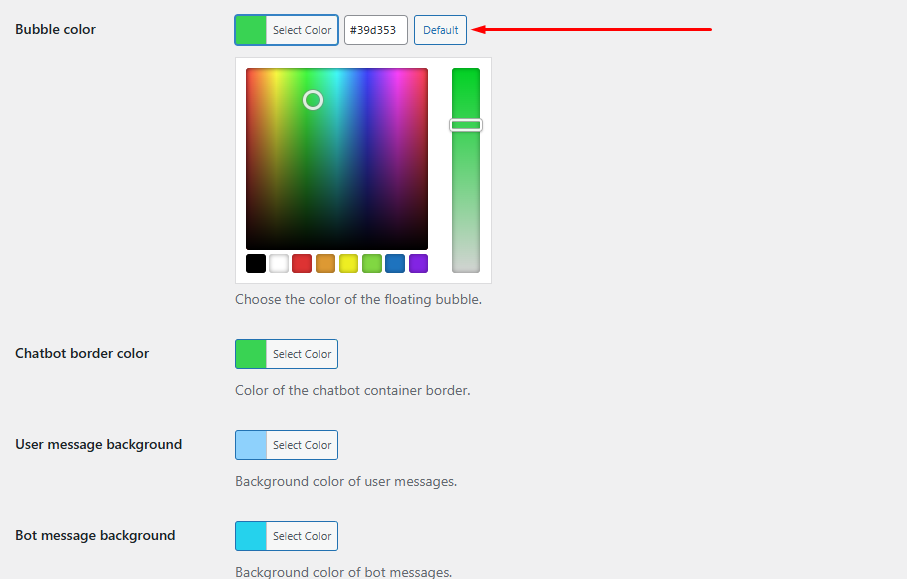
You can then customize its appearance:
- Border colors
- Chat background
- Message bubbles
- Send button
- CTA pop-up trigger
How to adapt Fabio Chatbot to your e-commerce
Fabio AI Chatbot responds only based on your website content. It does not generate answers outside your site.
You can guide user behavior with simple instructions.
For example, imagine you sell cast iron pots and want users to choose based on how many people they cook for.
- Ask users how many people they cook for
- Train the chatbot to expect that input first
You can add a welcome message like:
Hello, how many people are you looking for a cast iron pot for?

Then guide the chatbot with additional instructions:
Users will likely start by telling you how many people they want to cook for.

This allows the chatbot to recommend the right products immediately.
Fabio AI Chatbot informs visitors about prices
Fabio AI Chatbot helps users search by price range.
For example, a visitor may ask:
I am looking for a yoga mat between €20 and €40.
You can guide this behavior by adding:
- A welcome message asking for price range
- Instructions telling the chatbot what to expect
Example:
Visitors will likely mention the product and price range first.
Help visitors find the right product
If your store offers many variations, the chatbot helps users quickly find the right product.
Example: a bicycle store.
- Leisure bikes
- Sports bikes
- High-performance bikes
You can guide users with:
What use are you looking for in a bike?
And instruct the chatbot accordingly.
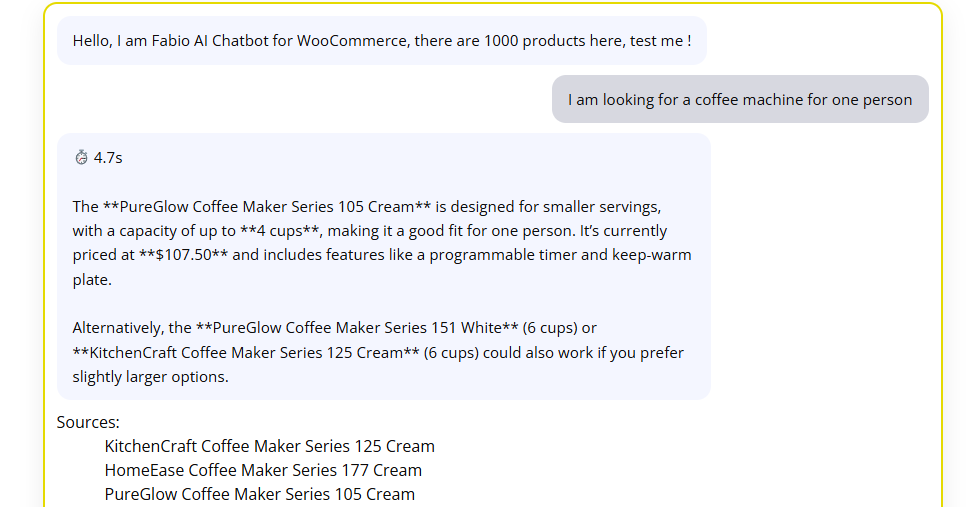
Example query on our 1000 products demo eE-commerce :
I am looking for a coffee machine for one person
How many products can it handle?
Fabio AI Chatbot works with small and large product catalogs.
- ~1,000 products → scan in a few seconds
- Larger catalogs → longer scan and response times
Response time depends on complexity.
Complex queries may take between 3 and 15 seconds depending on the number of products.
If responses are slow, it often means your content is not structured clearly.
If needed, contact support to review your setup.
This content has been generated by a human, then translated and re-arranged by Artificial Intelligence.